Recording where a lead came from: Step by step guide
When you add a walk-in, phone or other offline enquiry to Driftrock, you can record where the customer came from. This helps your team see which channels bring in the most enquiries.
Adding the customer
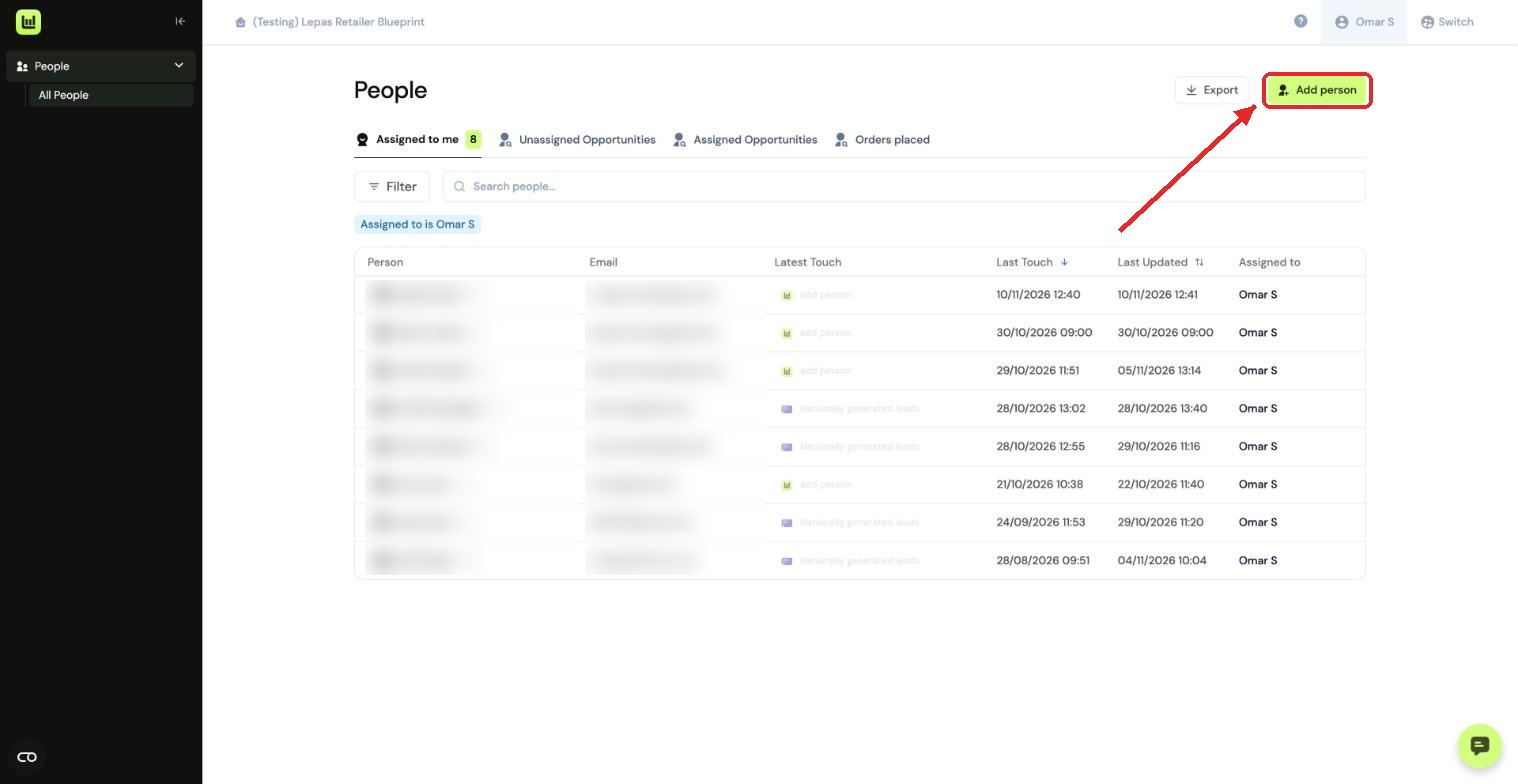
Go to People, then click Add person.
Choosing the lead source
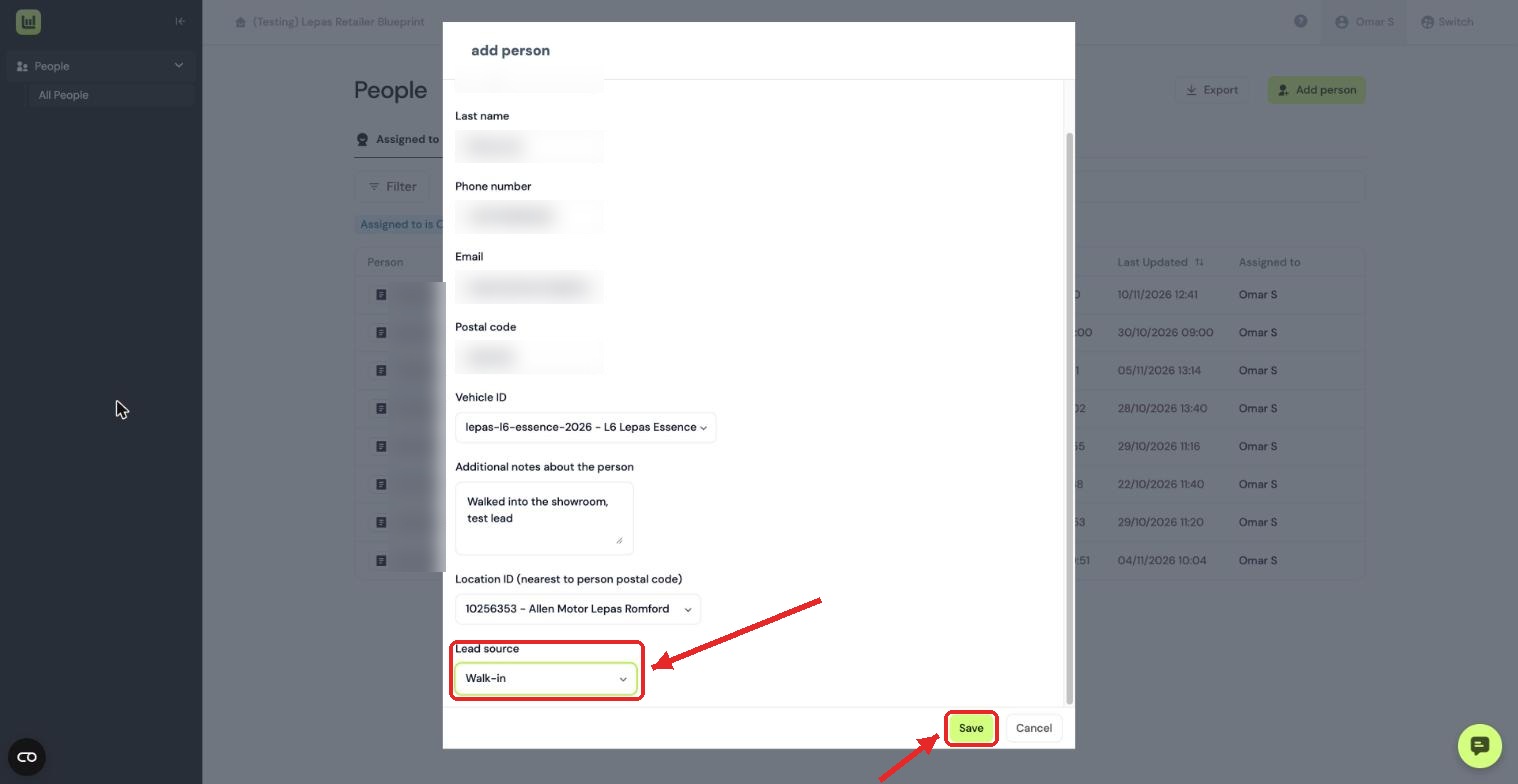
Enter the customer's details as normal. Then scroll to the bottom of the form and choose where they came from in Lead source. The options are:
Walk-in
Phone call
Website enquiry
Website live chat
Email
AutoTrader
CarGurus
Motors.co.uk
Other online marketplace
Facebook (organic post)
Instagram (organic post)
TikTok (organic post)
Google search
Lepas UK website
Event / showroom event
Friend or family referral
Existing / returning customer
Service / aftersales referral
Other
Click Save.
Finding the new lead
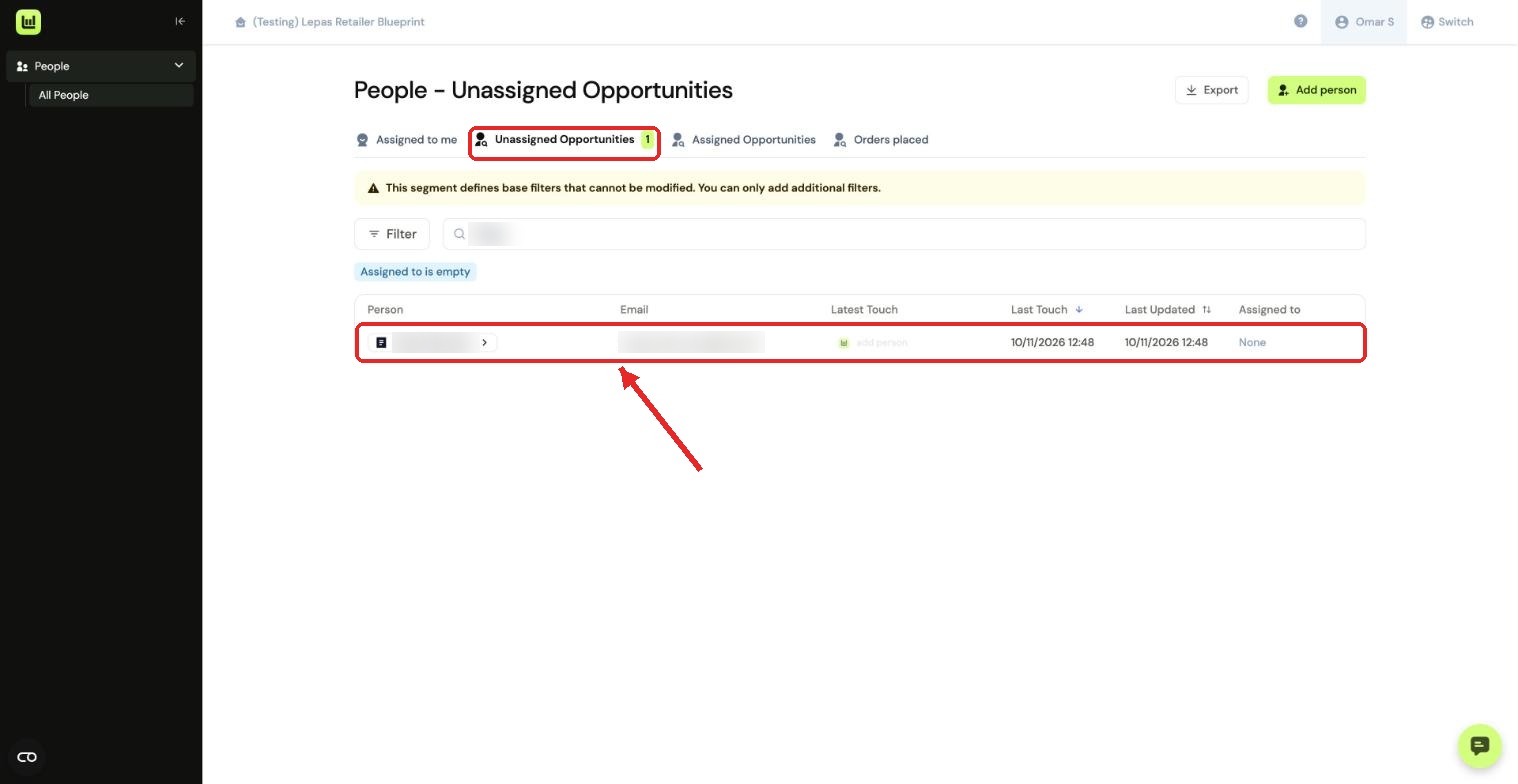
The customer is added as an unassigned opportunity. Click Unassigned Opportunities to find them, then click their name to open the record.
Checking the lead source
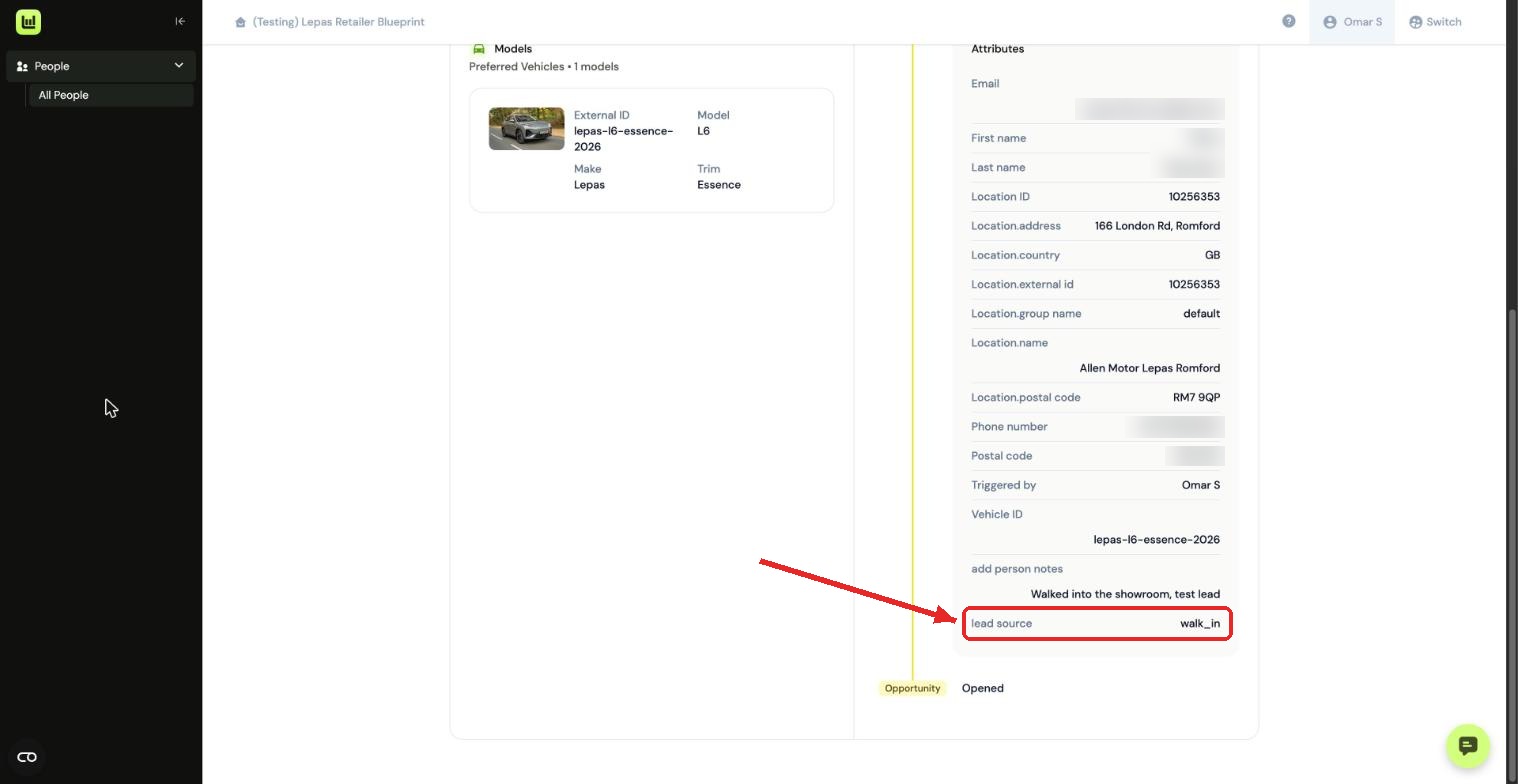
On the customer's record, the lead source is saved in the add person entry on the Events Timeline.
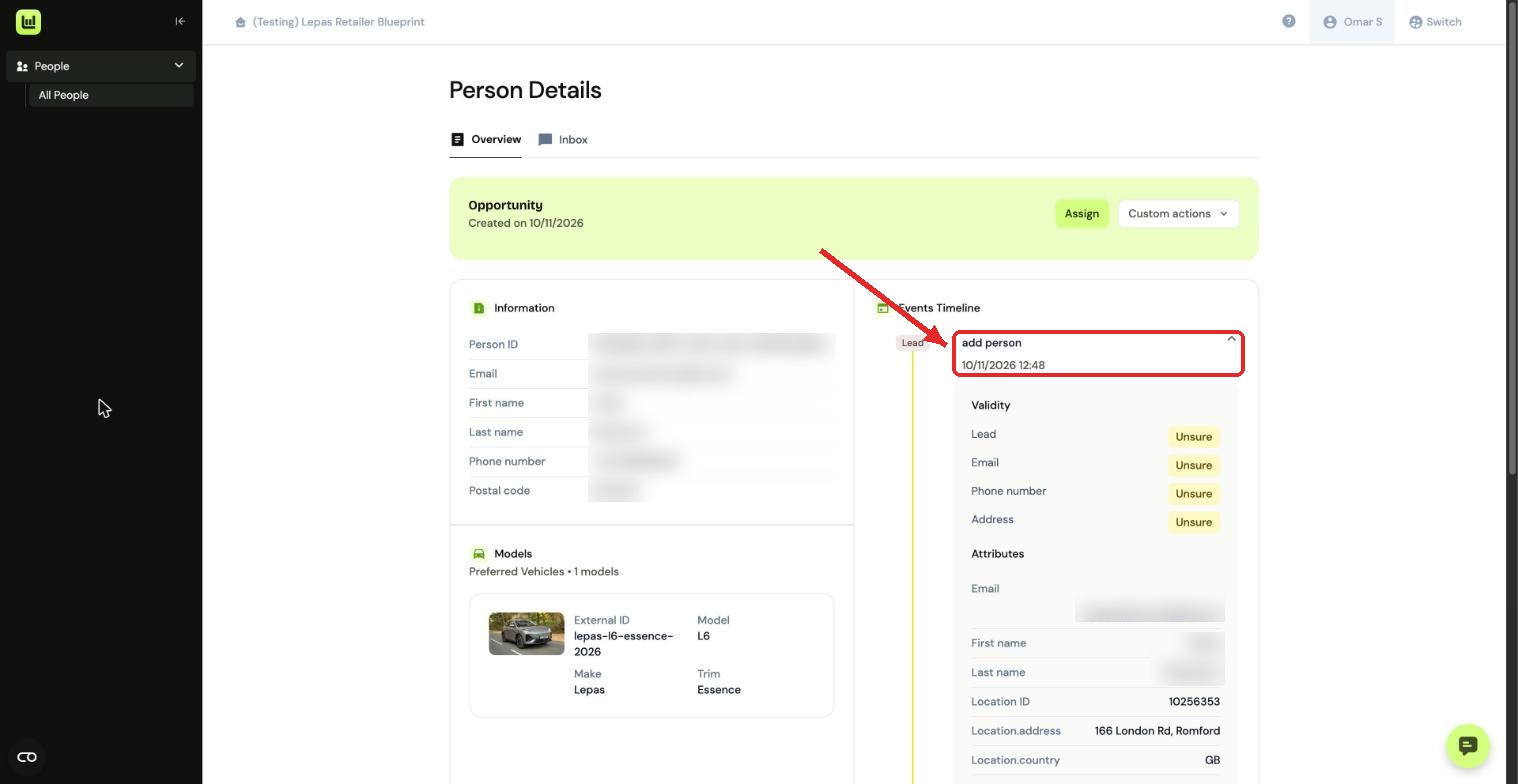
Scroll down the entry to see the lead source you chose.