Viewing opportunities and assigning leads
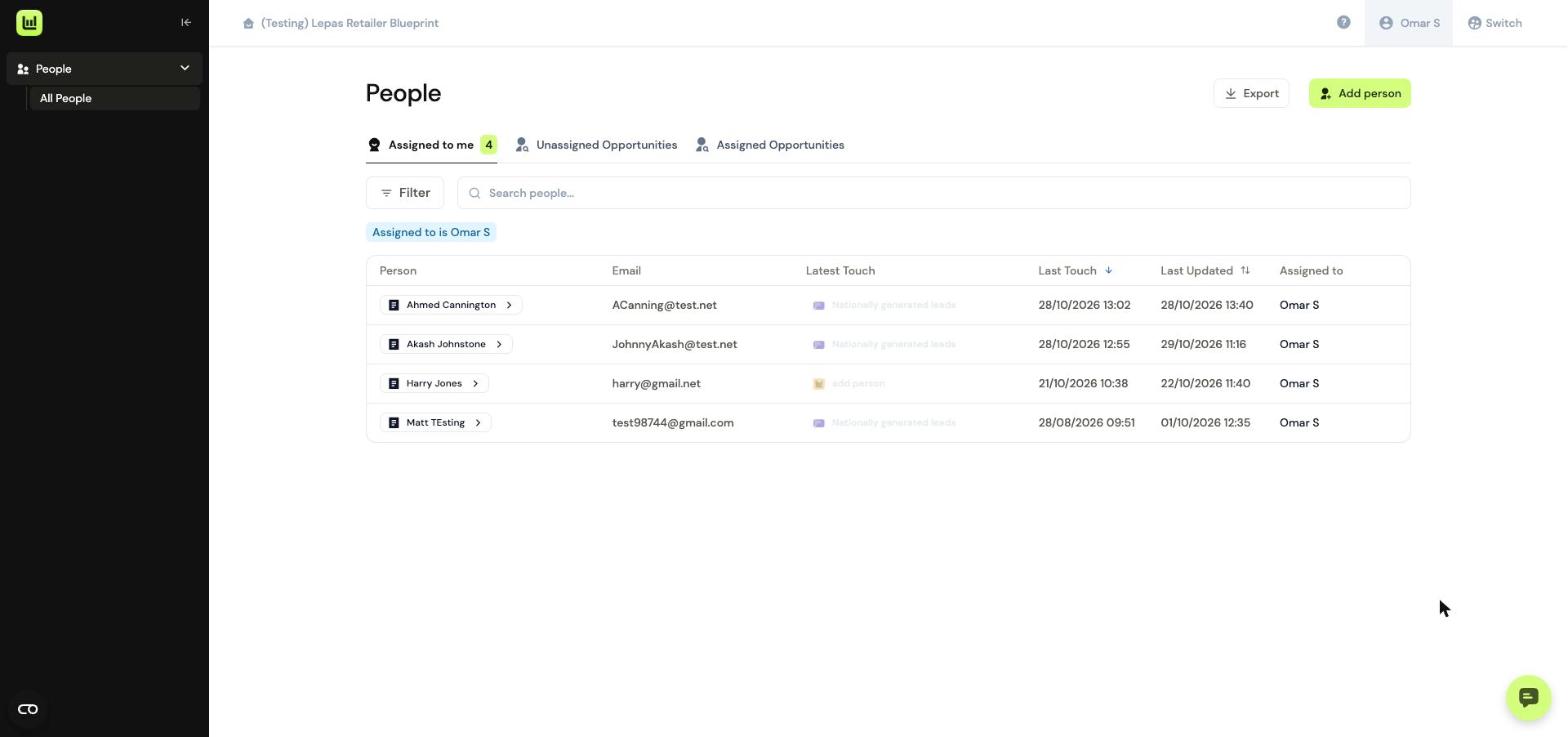
When you log into Driftrock, you'll see a list of opportunities which have been assigned to you.
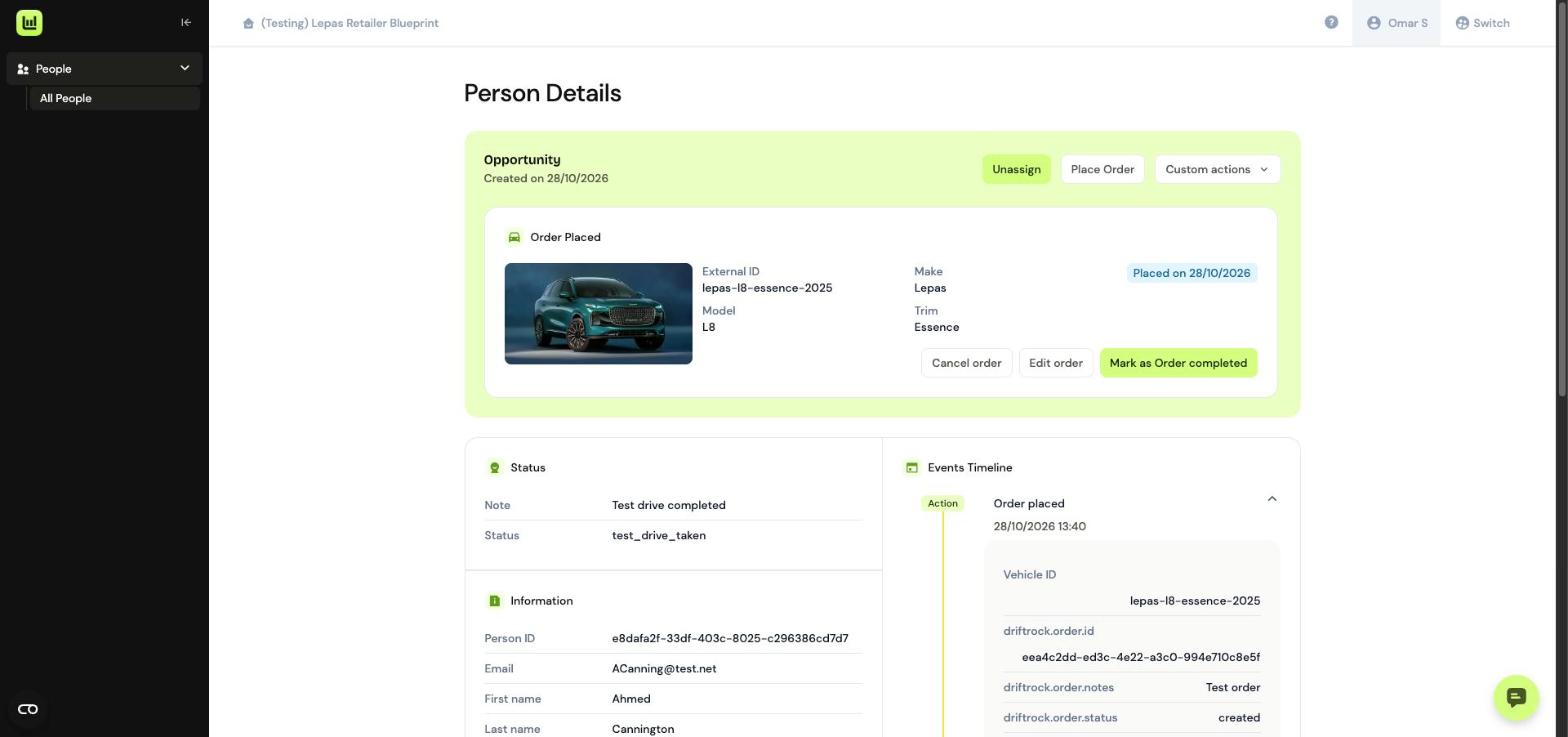
If you click any of the opportunity names, you'll be able to view their full lead details, and any actions you may have already completed with them.
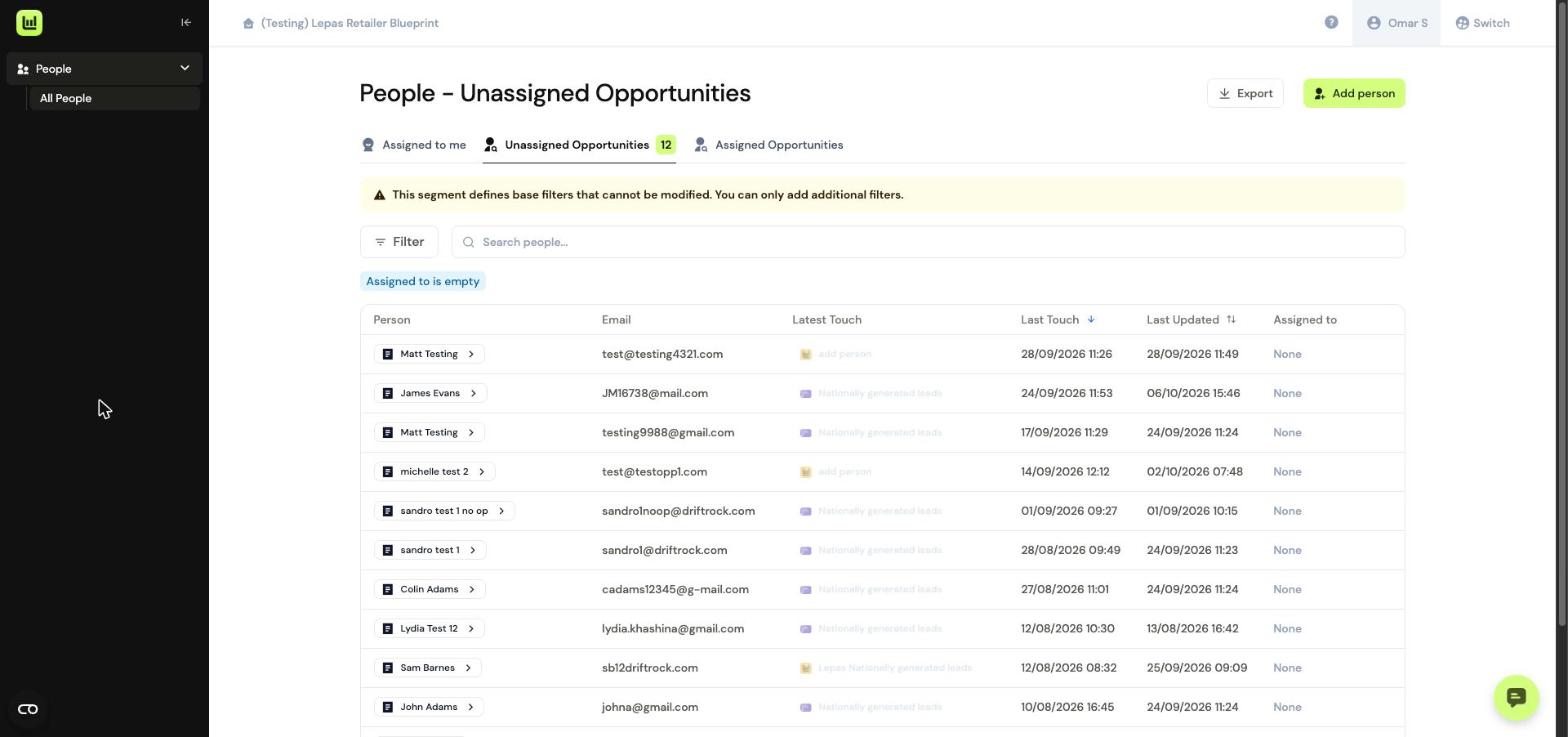
If you navigate to 'Unassigned Opportunities' you'll see a list of leads which are yet to be picked up by a member of the sales team.
To assign a lead to yourself, click the customer’s name to open the lead, then click Assign.
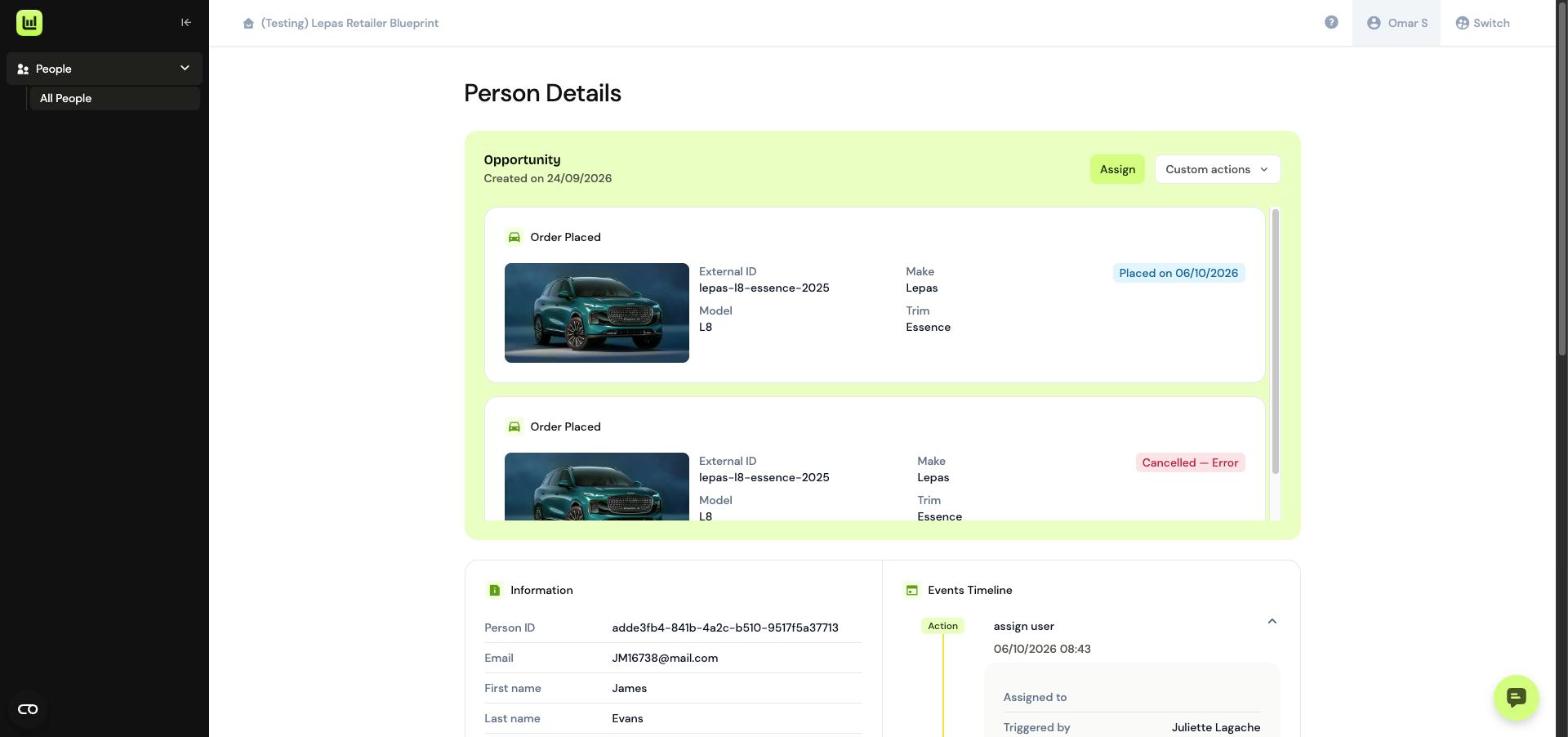
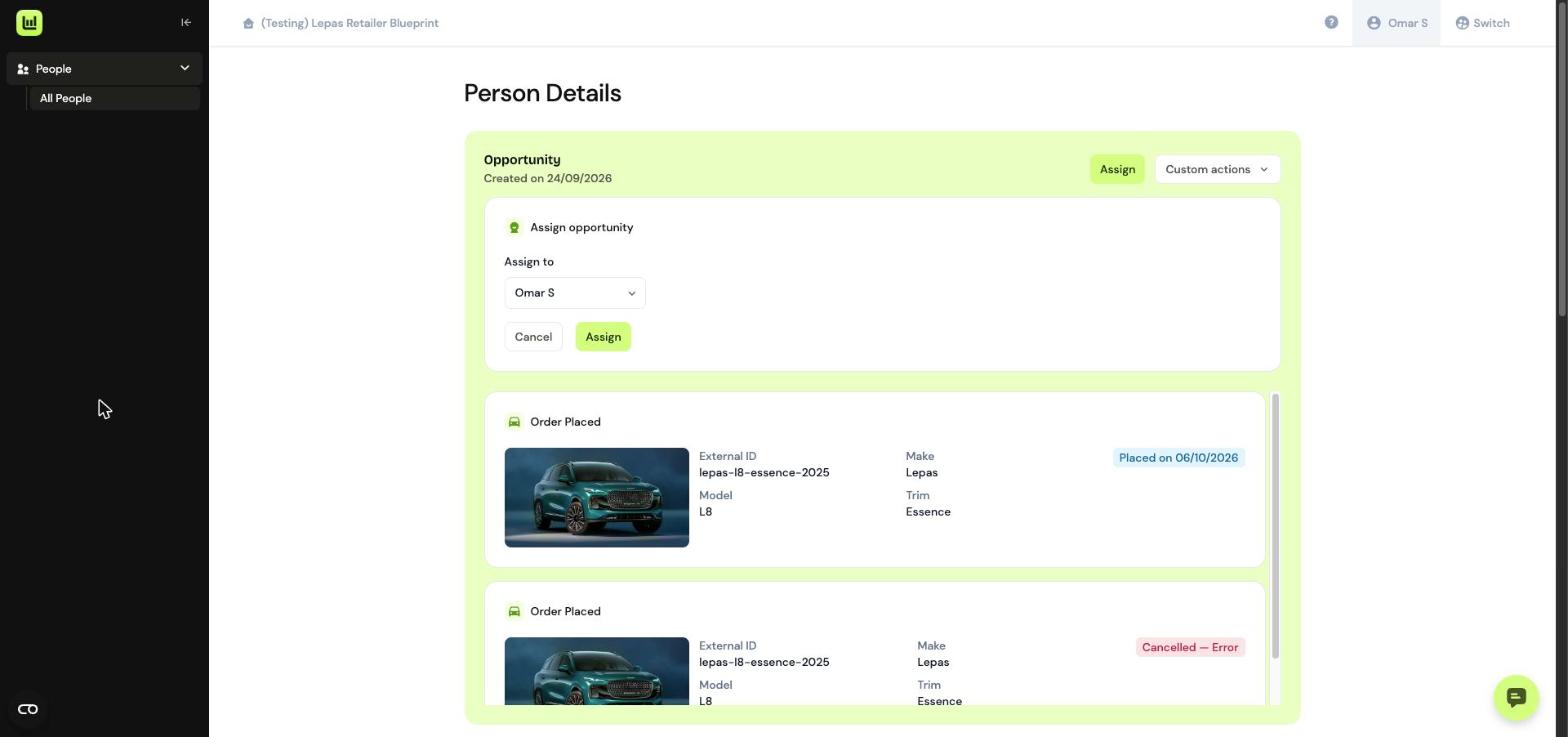
Choose your name from the Assign to dropdown, then click Assign.
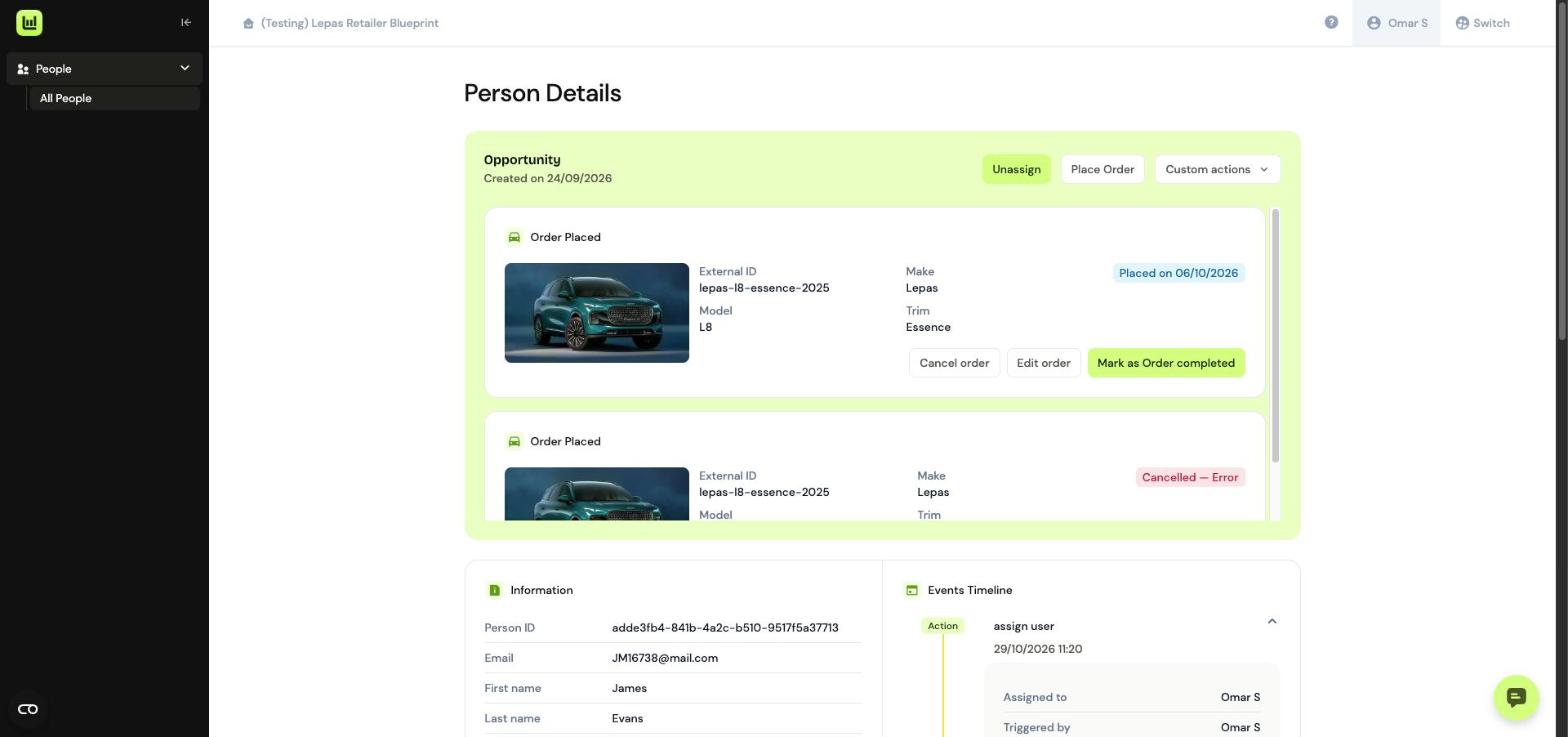
The opportunity will update to show it’s been assigned to you. The Unassign and Place Order buttons will appear, and the assignment will be added to the Events Timeline.
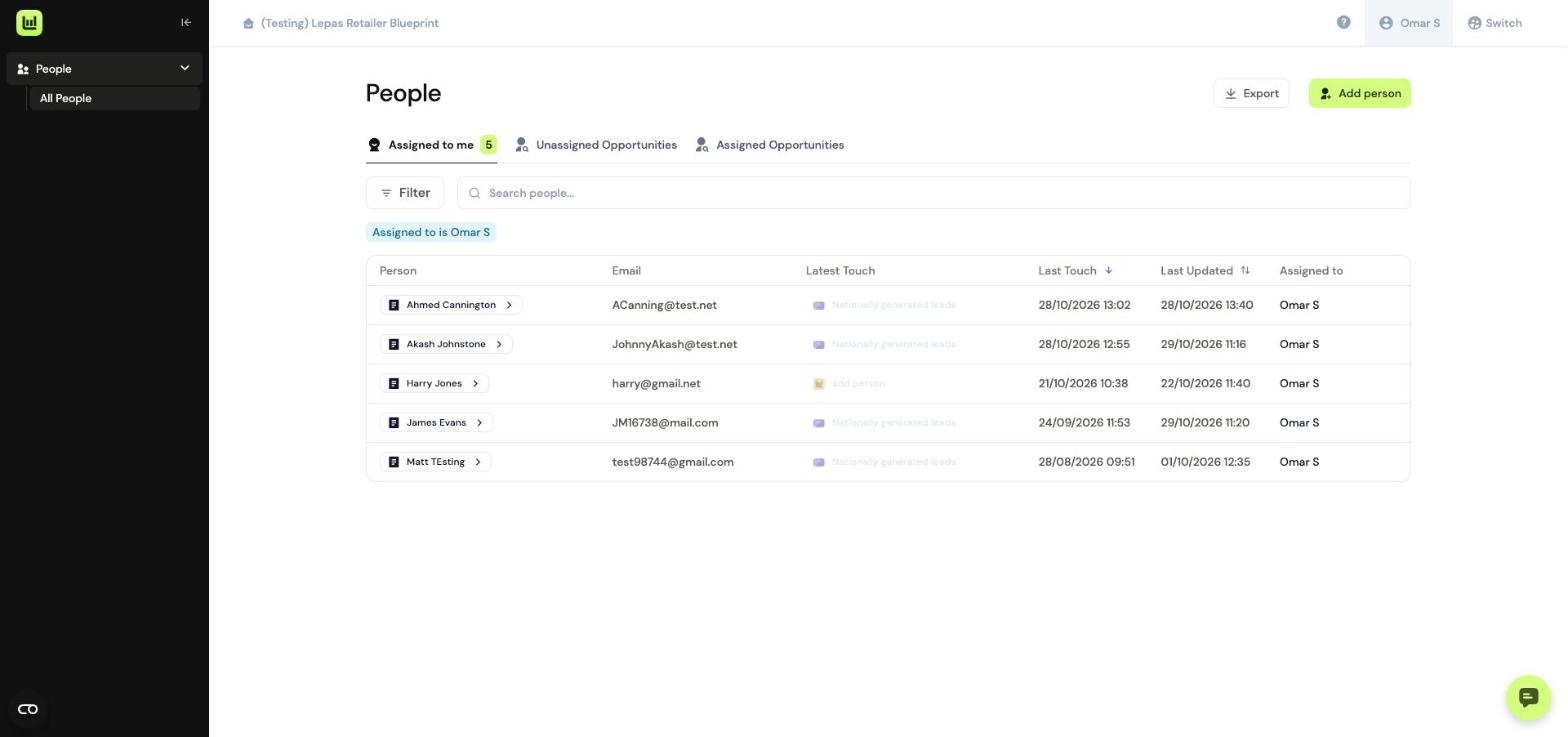
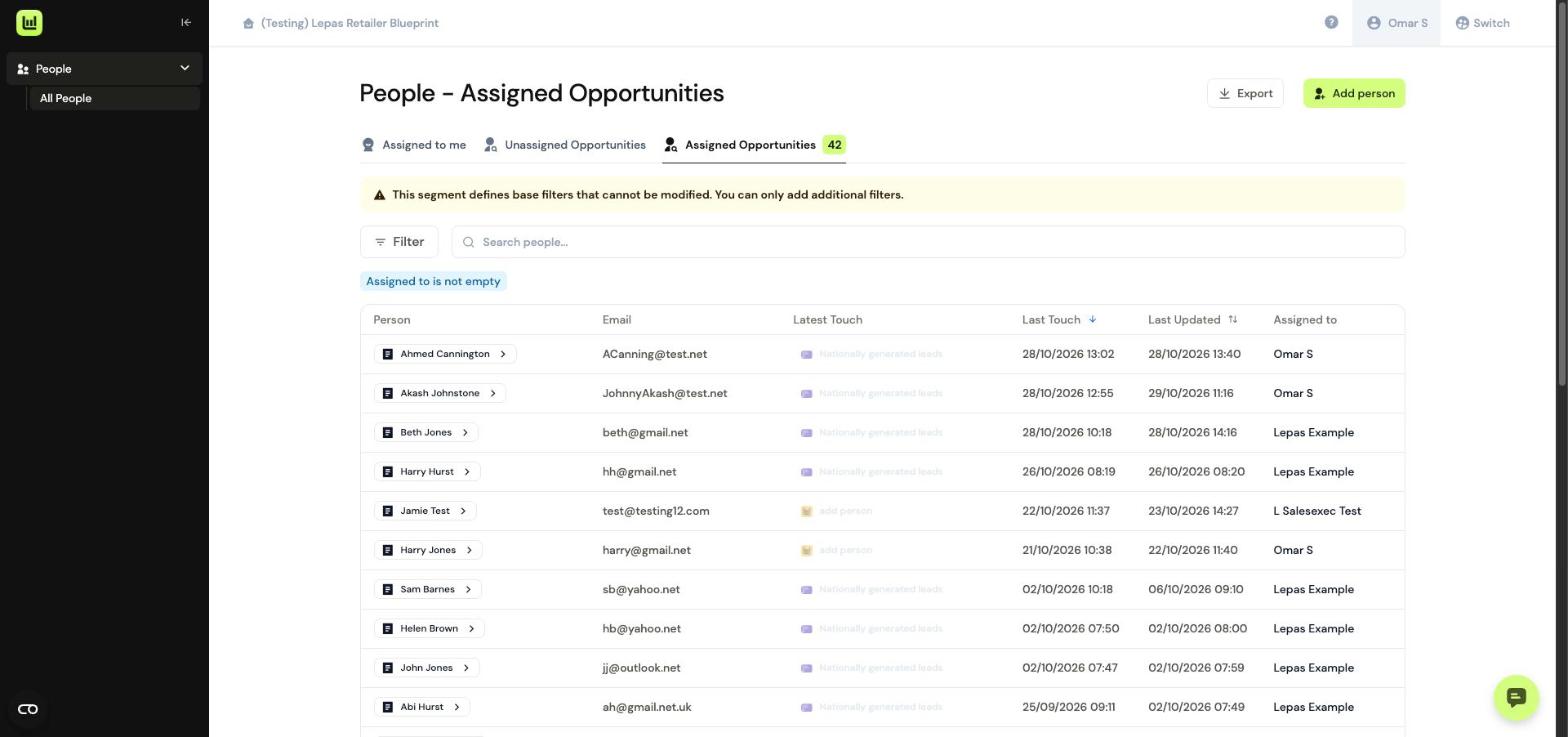
To view all Assigned Opportunities across your business, use the 'Assigned Opportunities' tab. Here you'll see leads assigned to you, but also to other members of the team.