Inviting your team
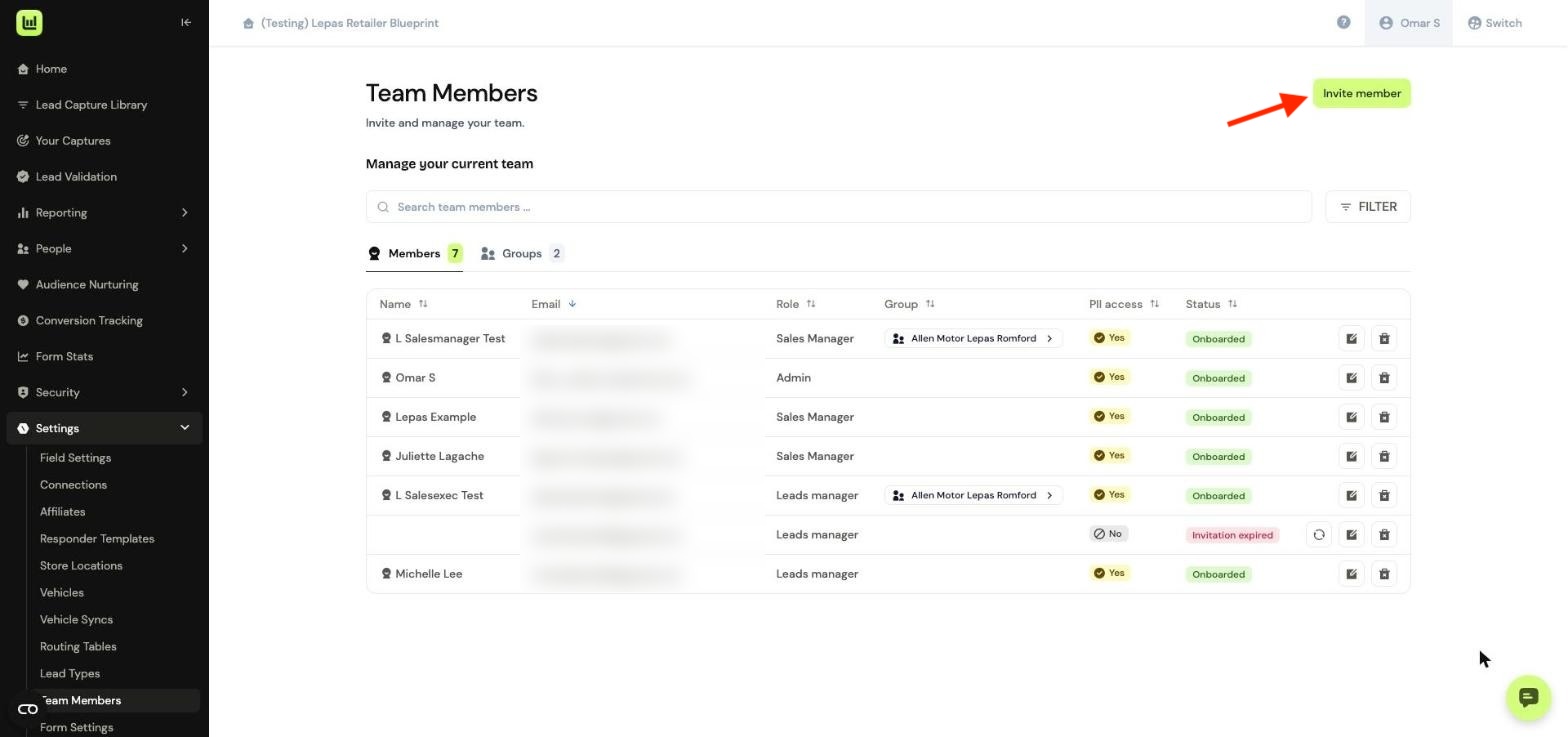
If you're an Account Manager, you can invite your team to Driftrock and set their access in one go. Choose their role, PII access and location before sending the invite, so they’re ready to work their leads as soon as they join.
In the platform, navigate to Settings > Team Members.
Entering their email
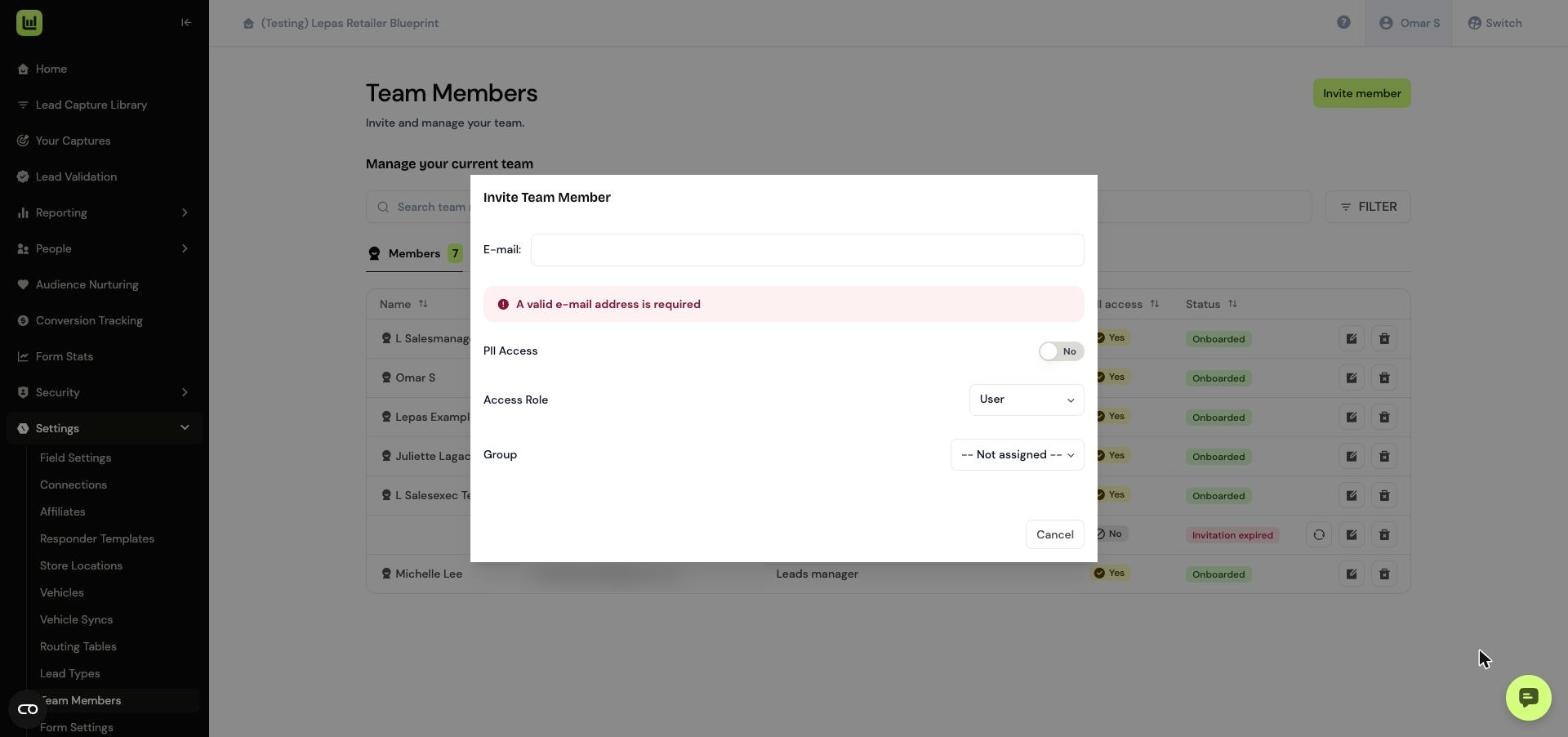
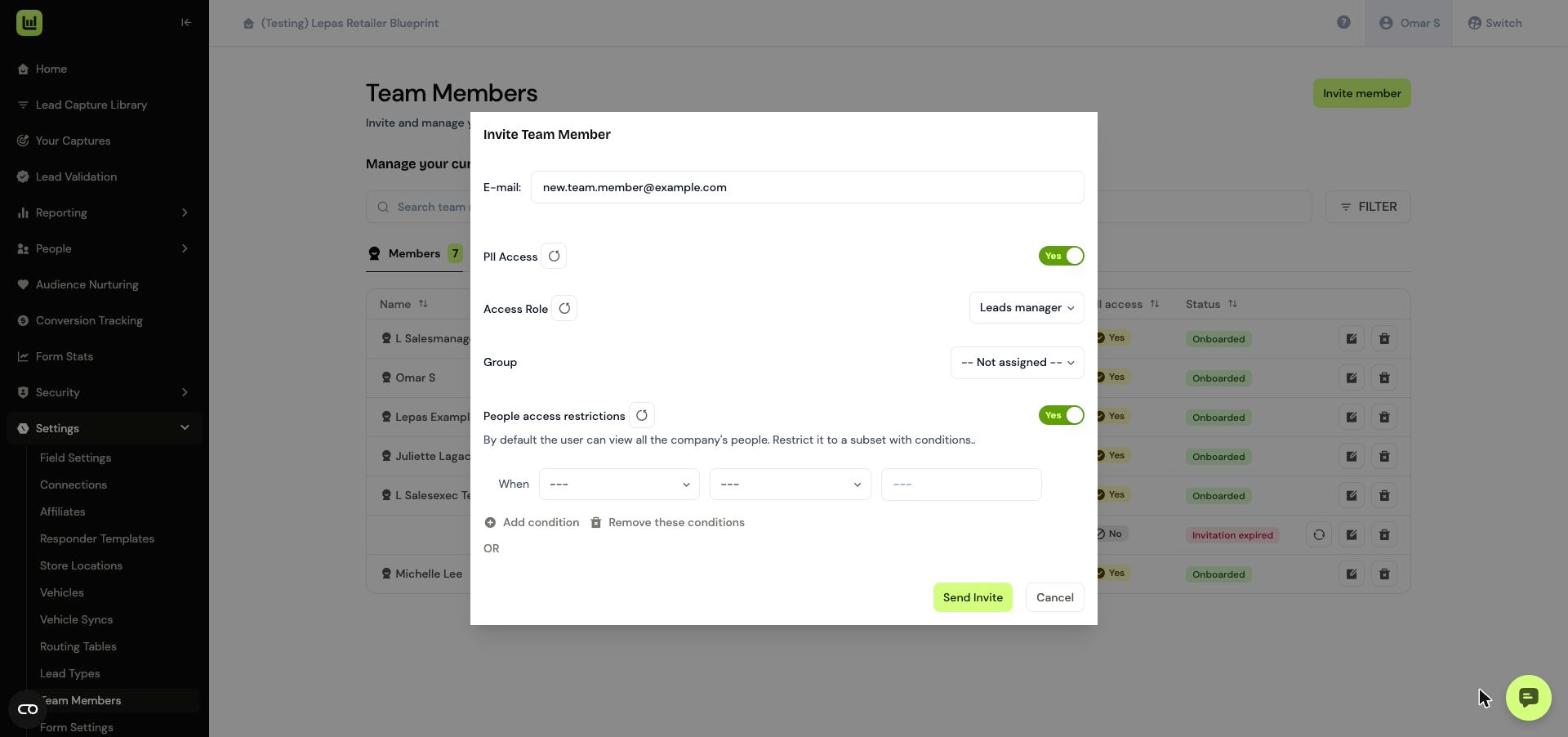
In Invite Team Member, enter their email address. The Send Invite button appears once a valid email is entered.
Setting their access
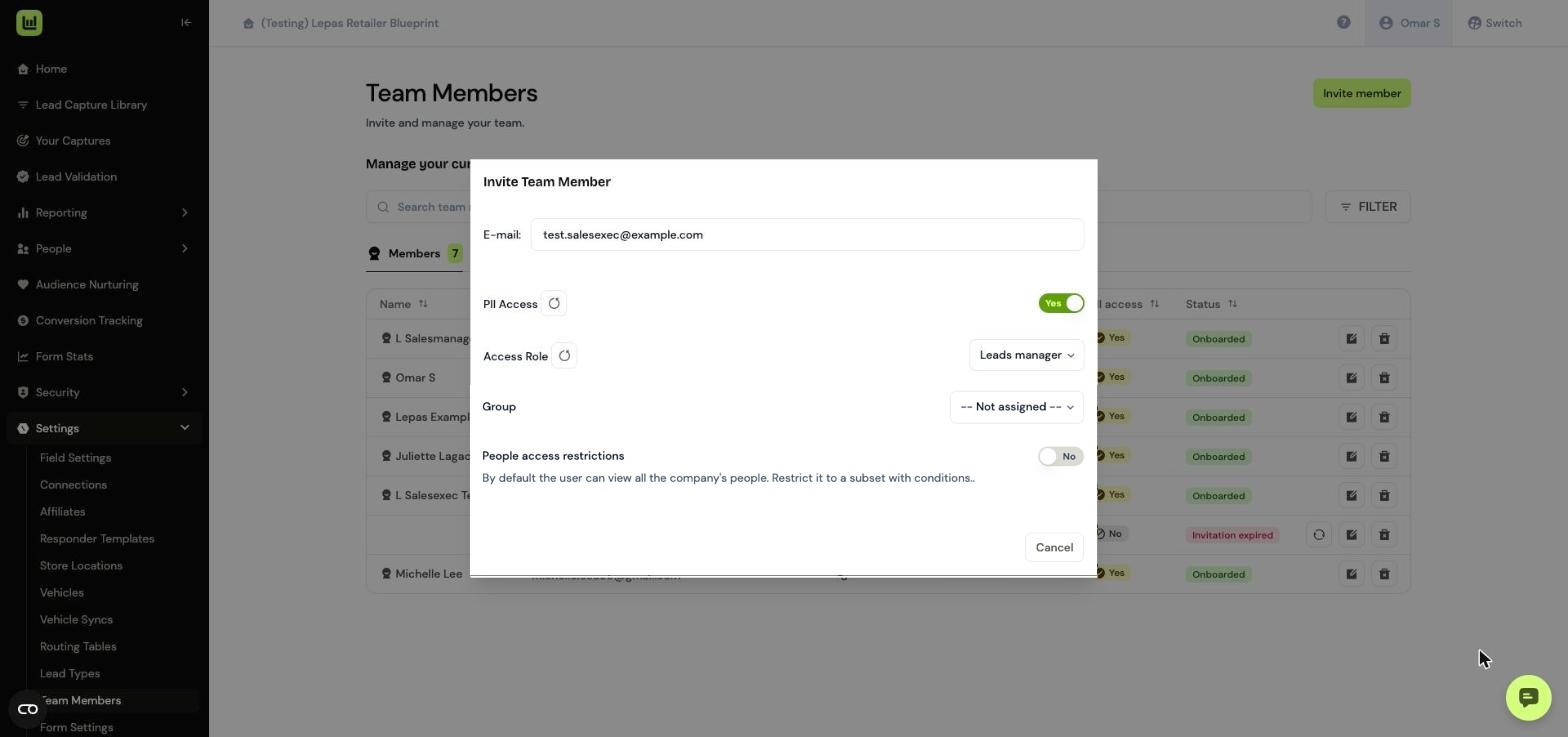
Set their access before sending:
PII Access: turn on to let them see customer contact details.
Access Role: choose Leads manager if they only need to work with leads.
Group: choose their location, for example Allen Motor Lepas Romford.
Then click Send Invite.
Restricting which leads they can see (optional)
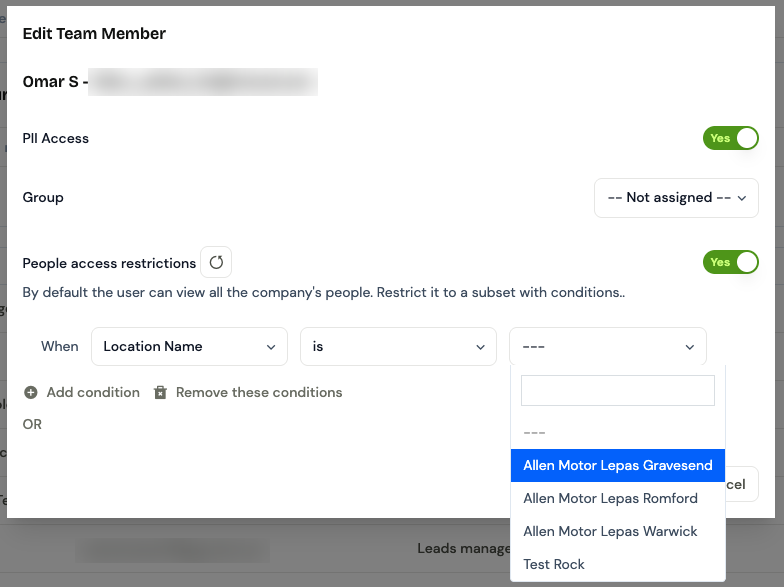
With PII Access on, you can also turn on People access restrictions and add conditions, such as a location. Use this instead of Group if you need more specific rules.
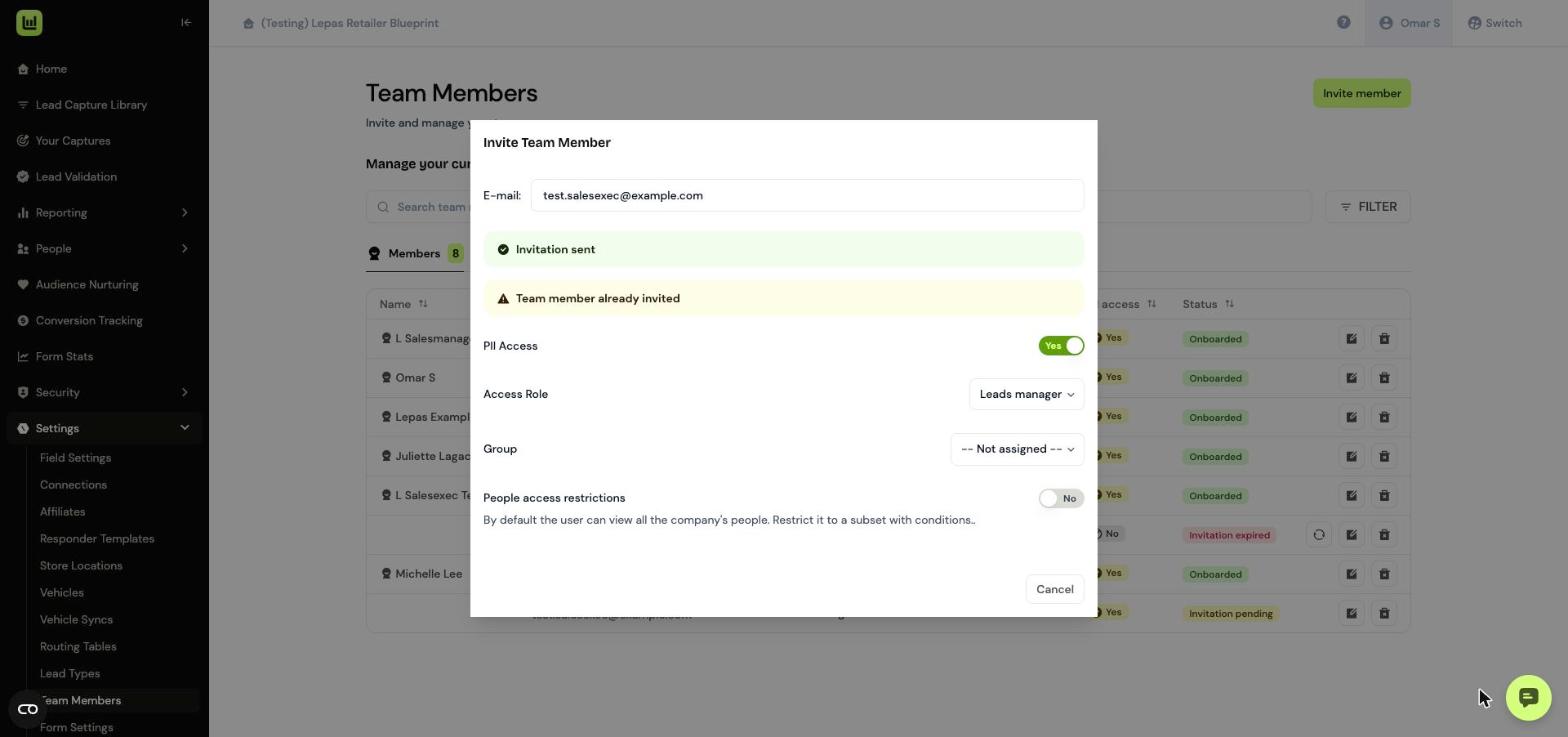
Checking the invite has been sent
You’ll see Invitation sent. Click Cancel to close the window.
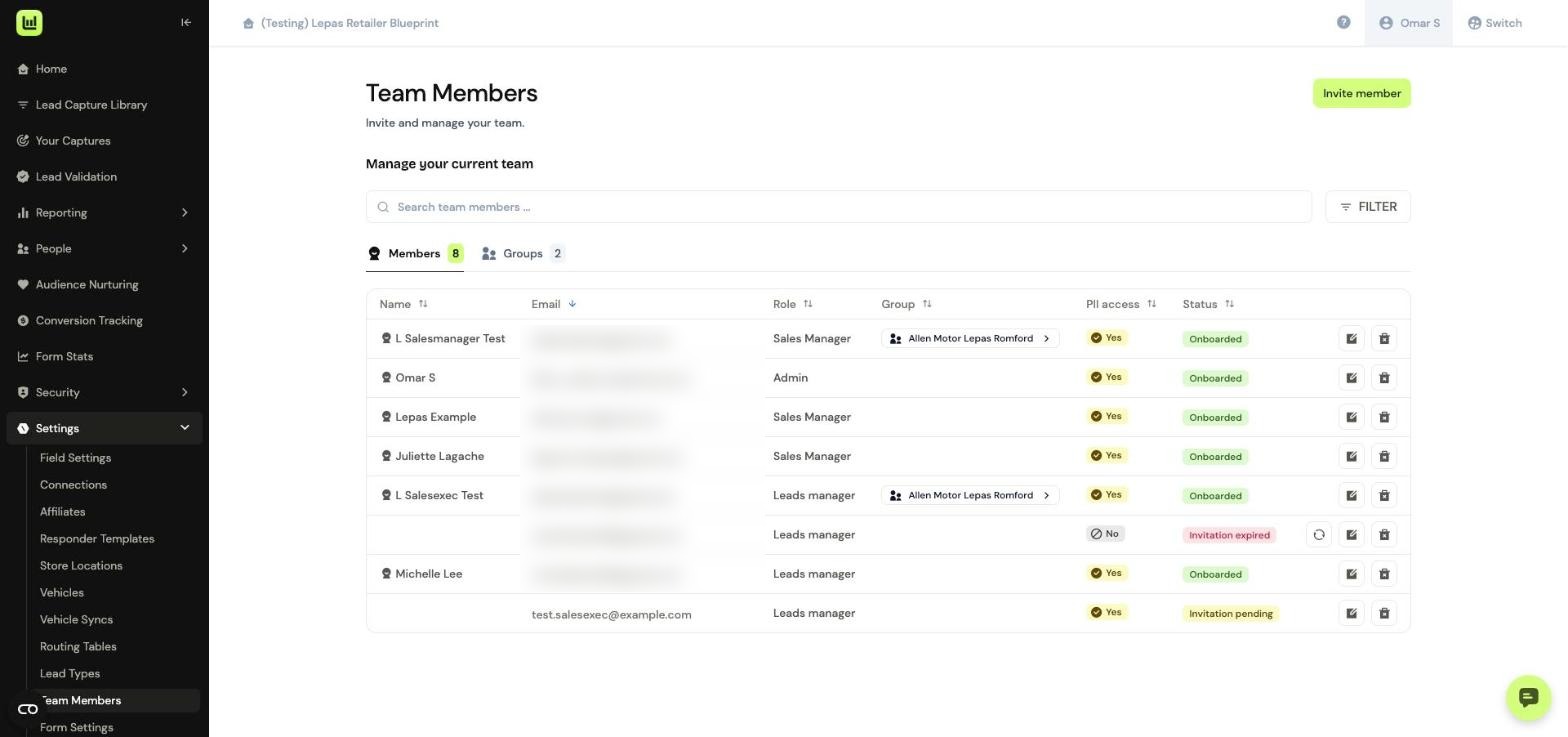
The new team member appears in the list with their role, PII access and the status Invitation pending.
Changing a team member’s access later
Click the edit icon next to their name to open Edit Team Member. From here you can change their PII Access, Access Role, Group or People access restrictions.
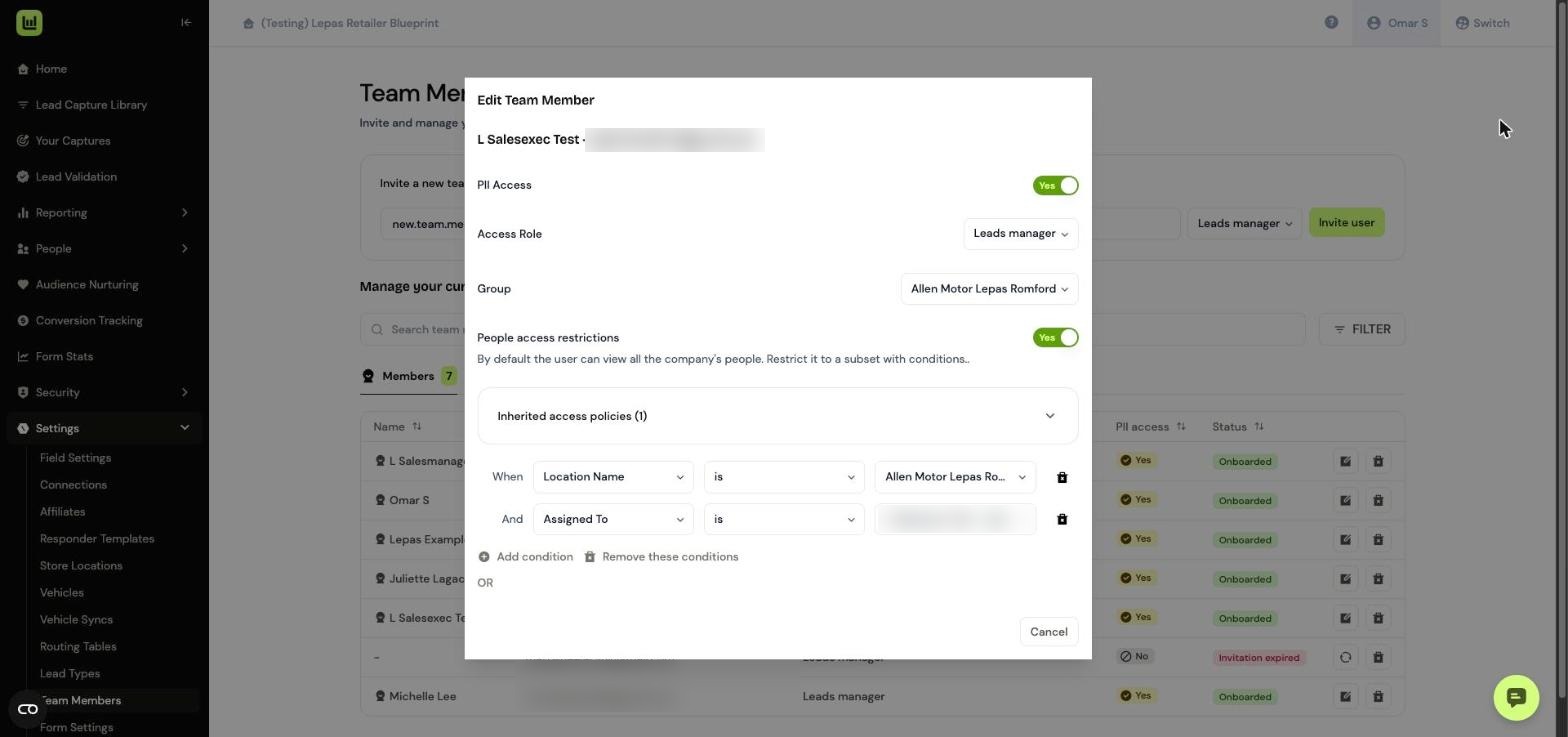
To limit them to a location, choose Location Name, is, then the location from the list.
Using groups for each location
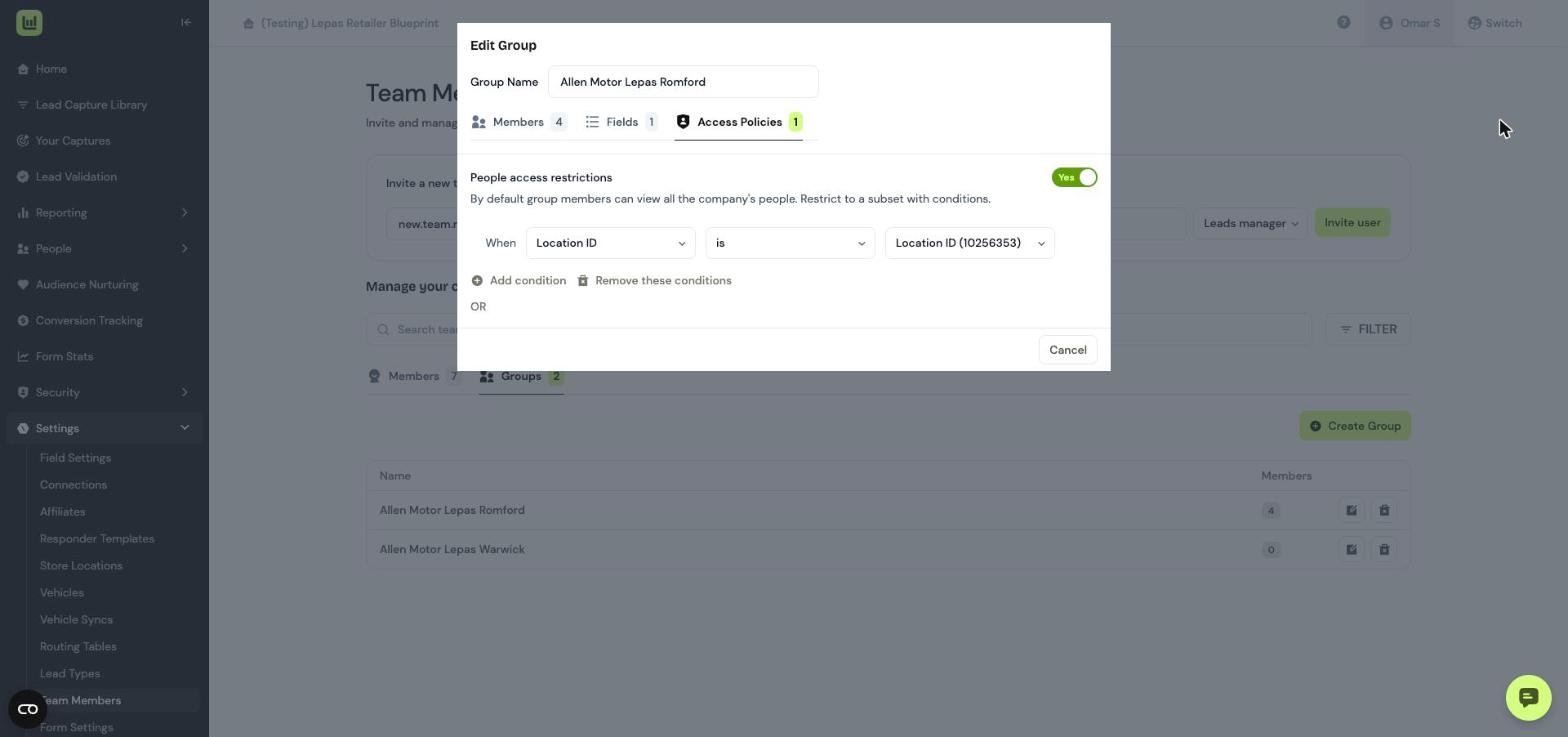
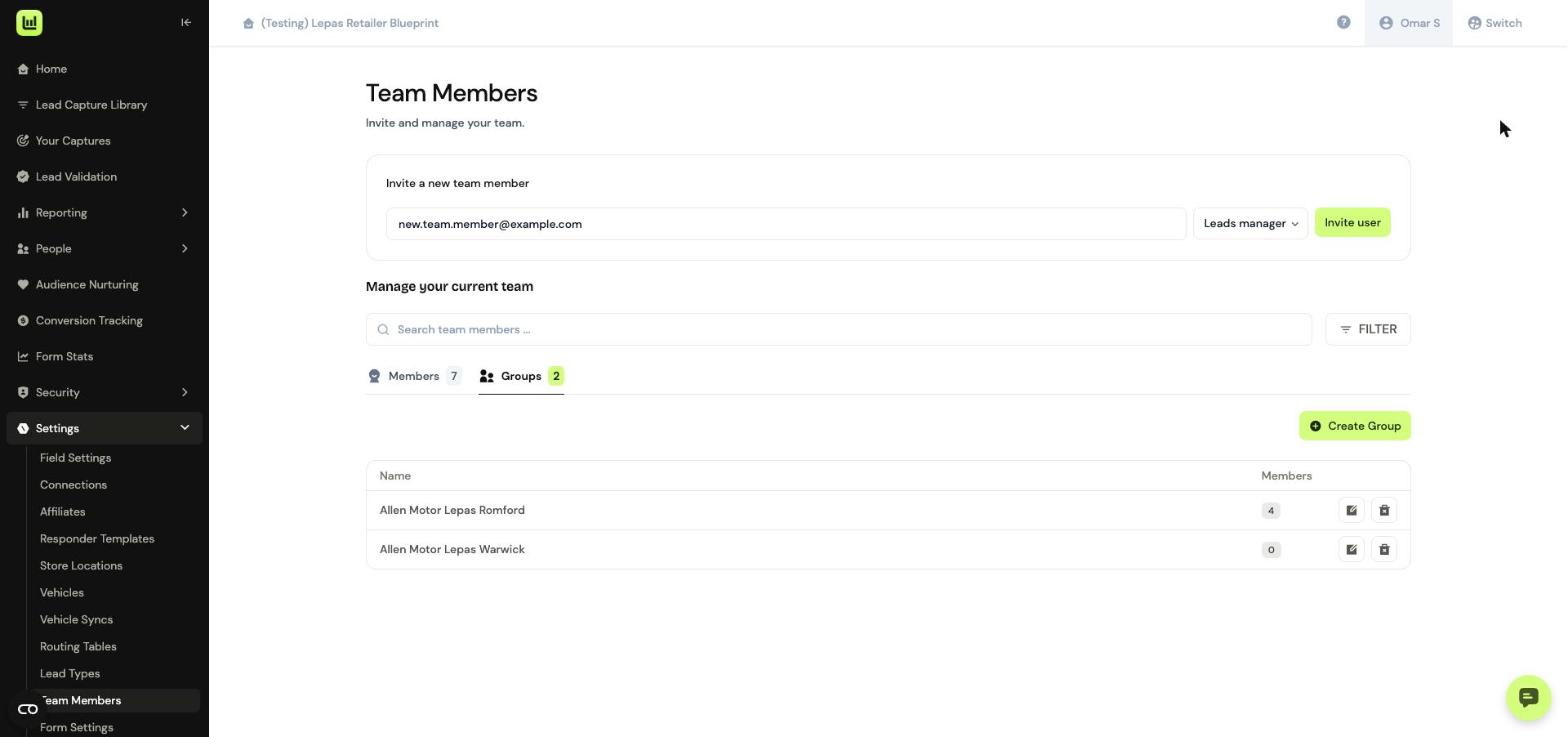
Groups let you set location access once for everyone at a site. Click Groups, then Create Group, or the edit icon next to an existing group
In Members, choose a team member and click Add to group.
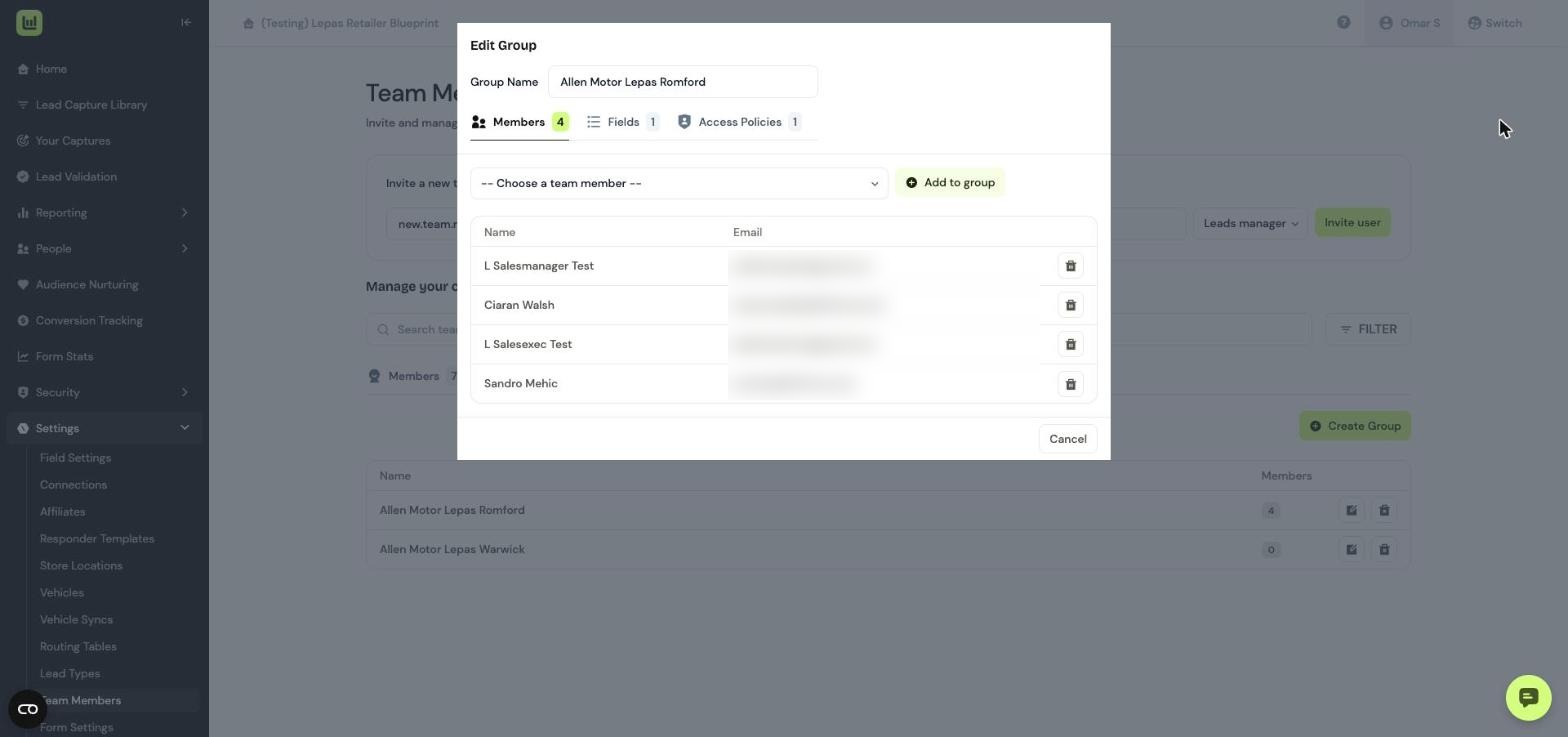
In Access Policies, turn on People access restrictions and set the location. Everyone in the group then only sees leads for that location.