
How to create an Affiliate ID for new affiliates or publishers
This guide explains what an Affiliate ID is, how Driftrock creates one for each of your partners, and how partners use it when sending leads to an Affiliate Capture.
What is an Affiliate ID?
An Affiliate ID is a unique identifier that Driftrock assigns to each affiliate partner or publisher you add to an Affiliate Capture. Partners include it in every lead they send so that Driftrock can tell which partner each lead came from.
You do not create the ID manually. Driftrock generates it when you add the partners name to the Affiliate ID settings of your account.
What the Affiliate ID is used for
When a partner sends a lead through the Affiliate Event API (the server-to-server connection partners use to send leads into Driftrock), Driftrock reads the Affiliate ID to identify the sender. It then attributes the lead to that partner in reporting.
The Affiliate ID works alongside two other details you give each partner:
API key: authenticates the request and confirms the lead came from an approved partner.
API endpoint URL: the address the partner sends leads to.
Each partner should have both its own Affiliate ID and its own API key.
How it works
When you add a partner under Affiliates in an Affiliate Capture, Driftrock assigns that partner a unique Affiliate ID. The partner's name is also used as the Source or Campaign value on their leads by default, through the Capture's Marketing Tracking settings.
When the partner sends a lead, their request includes the API key in the header and a JSON body containing the source_id, their affiliate_id and the lead fields. Driftrock matches the Affiliate ID to the partner you added and tags the lead accordingly.
Getting started
Prerequisites: an API key for each partner. API keys are created in Settings, then API Settings, and require Admin access.
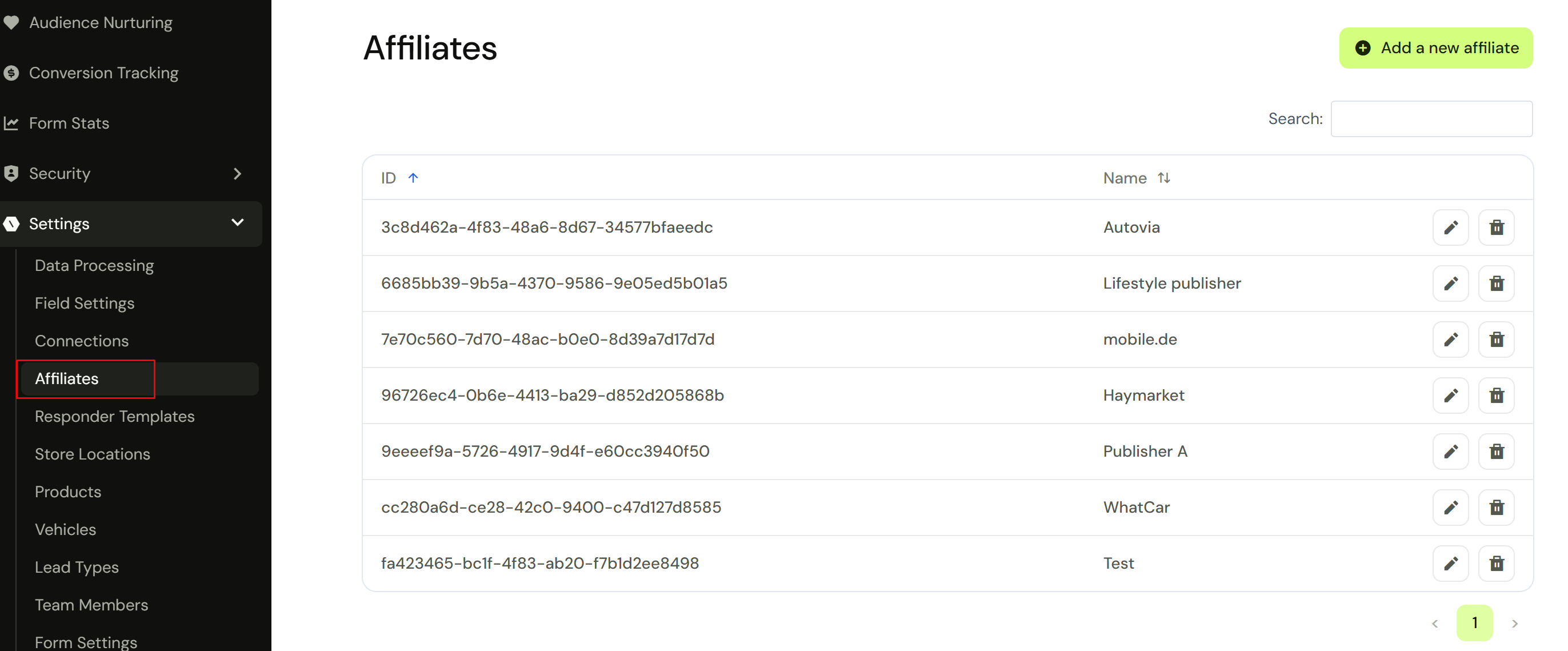
Go to your Settings and select Affiliates.
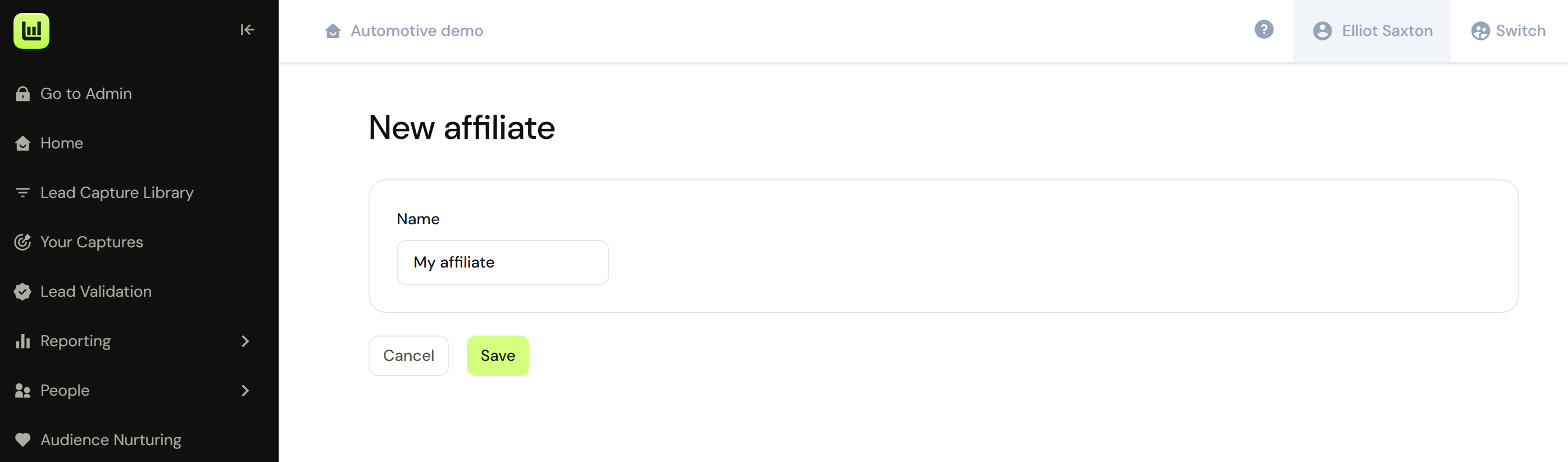
Click Add a new affiliate.
Enter the name of your affiliate.
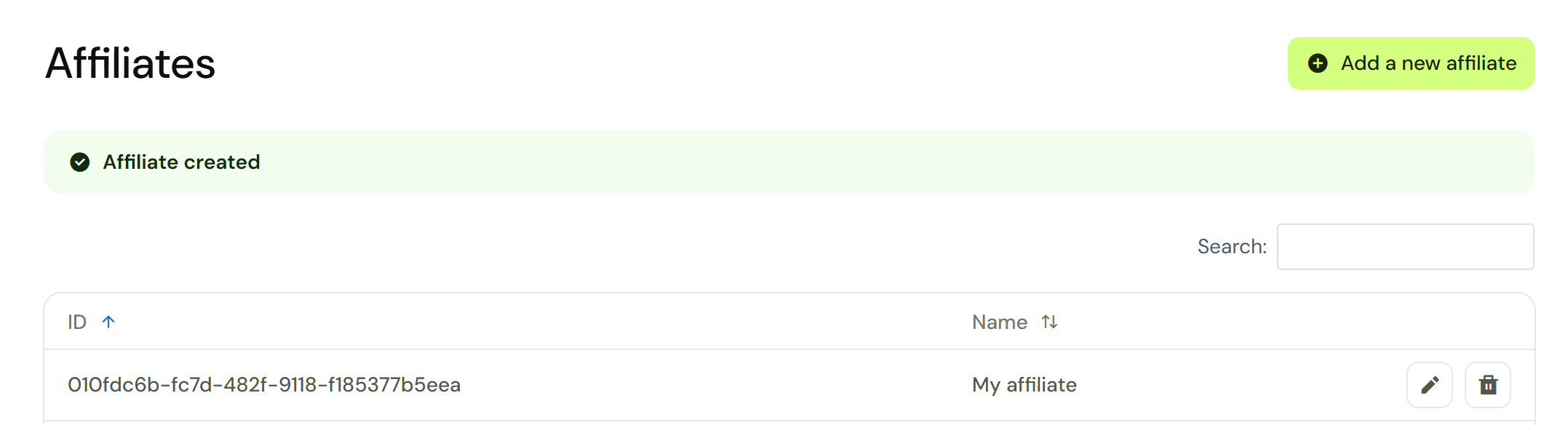
Driftrock will then automatically create their Affiliate ID.
Go to the Capture Library and select Affiliate Capture.
Define the fields you expect partners to send.
In the Affiliates section, select the name of the partner who will send leads to this Capture.
Check the Marketing Tracking section to confirm the partner name is applied as the Source or Campaign value.
Complete the remaining setup steps, including your Destinations.
Tips
Add each partner separately so that each one has its own Affiliate ID. Partners sharing an ID cannot be reported on separately.
Use the partner's recognisable name when adding them, as this name appears as the Source or Campaign value in reporting.
If a test lead does not appear, check that the partner is sending the correct Affiliate ID, API key and endpoint, then review the Rejected tab in Your Captures for the reason.