
Sharing API instructions with affiliate partners
Once you have set up an Affiliate Capture, each partner needs a set of details before they can send leads to Driftrock. This guide explains what to share, where to find it, how to share it securely and how to confirm the partner's connection works.
What a partner needs
An affiliate partner sends leads to Driftrock through the Affiliate Event API: a direct, server-to-server connection between the partner's system and your Driftrock account. To build their connection, each partner needs:
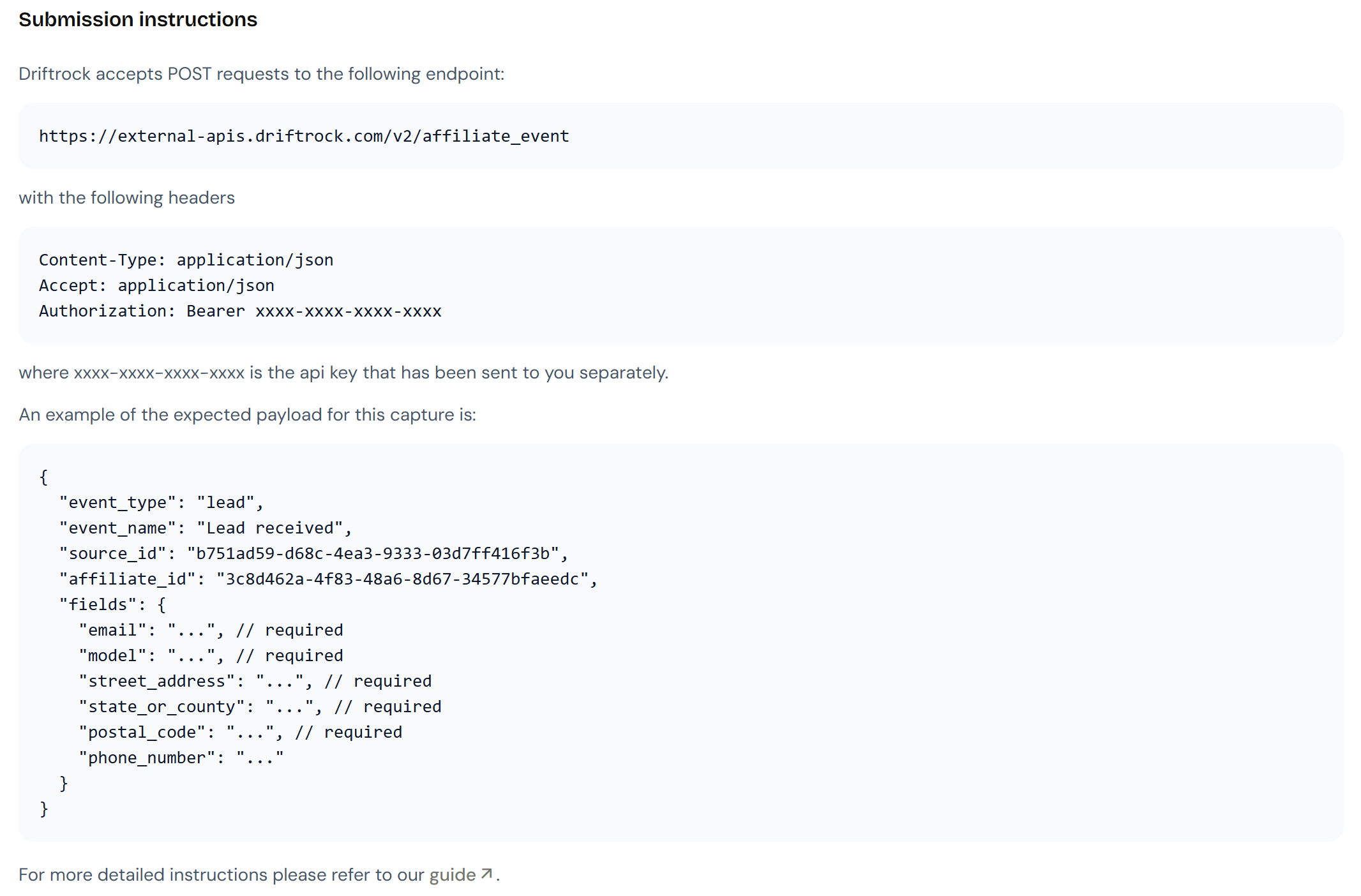
API endpoint URL: the address their system sends leads to.
API key: a unique code that authenticates their requests. Each partner should have their own key.
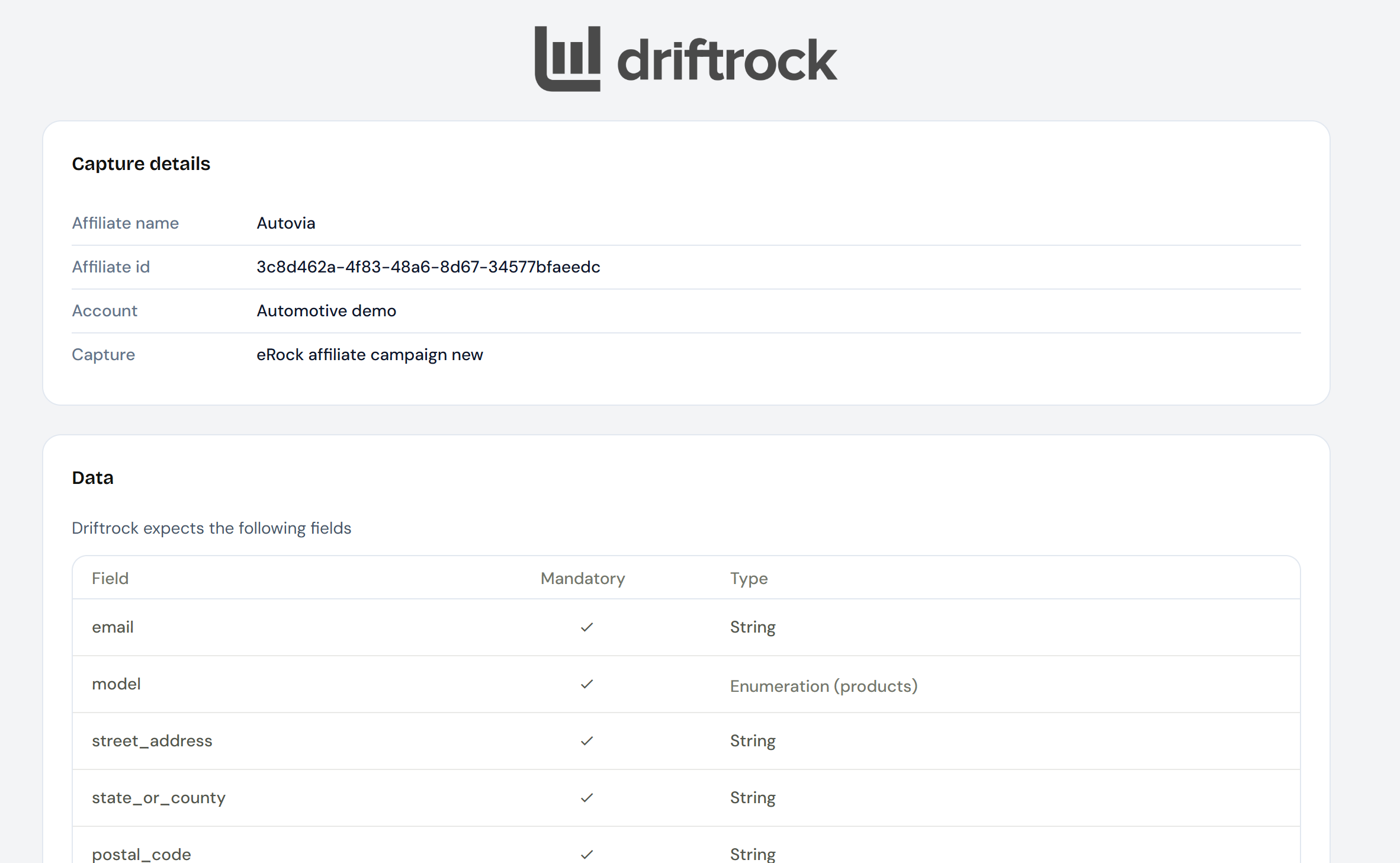
Affiliate ID: the unique identifier Driftrock assigned to the partner when you added them to the Capture. It tells Driftrock which partner sent each lead.
Example payload: a sample of the data the partner should send, showing the correct field names and formats.
Acceptance criteria: the rules a lead must meet to be accepted, including required fields and any Acceptance Rules or deduplication rules you have set.
Where to find these details
API key: created in Settings, then API Settings. You need Admin permission to create and view API keys.
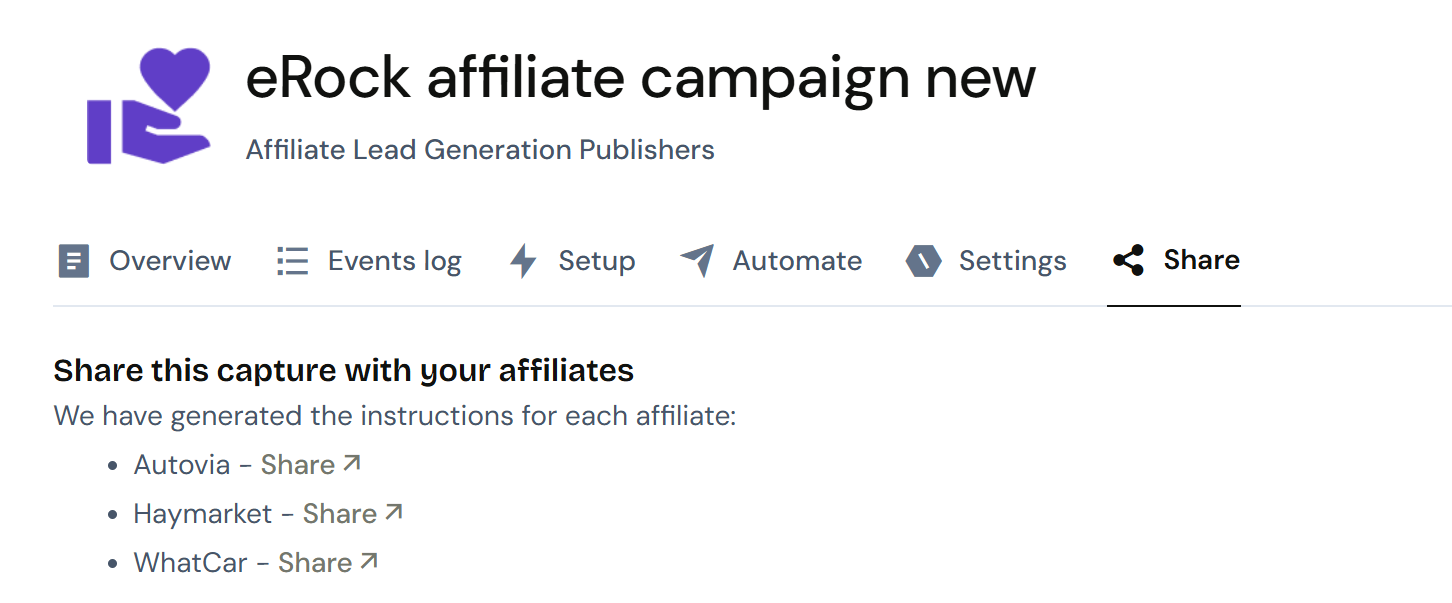
API endpoint URL, Affiliate ID and example payload: shown on the Review step of the Affiliate Capture setup. Driftrock generates these for each partner you add to the Capture.
Acceptance criteria: Driftrock generates a documentation page that shows partners the exact rules their leads must meet. You can share this page with the partner.
What the partner does with these details
The partner uses the details to build an API request from their system. Each request includes:
the API endpoint URL as the destination
the API key in the request header, for authentication
a JSON body containing the
source_id, theiraffiliate_idand the lead fields, following the example payload
When Driftrock receives a request, it responds straight away to confirm whether the lead was accepted. If a required field is missing, or a value is not recognised (for example a vehicle name that does not match your vehicle table), Driftrock returns an error (a 422 response code) with a message explaining the problem, so the partner can correct their data.
Getting started
Prerequisites:
An Affiliate Capture with the partner added under Affiliates.
An API key for the partner, created in API Settings.
Admin permission, to access API keys.
Have the partner's API key ready. You copy this when you create the key in Security, then API Keys.
Open the Affiliate Capture and go to the Review step.
Note the API endpoint URL, the partner's Affiliate ID and the example payload.
Share the API key with the partner using a secure method (see Tips below).
Send the partner the API endpoint URL, Affiliate ID, example payload and the link to your acceptance criteria.
Ask the partner to send one live test lead once their connection is built.
Check Your Captures and your CRM to confirm the test lead arrived with the correct fields and is tagged with the partner's name.
If the test lead does not appear, check the Rejected tab in Your Captures for the reason and share it with the partner.
Tips
Share the API key separately from the other details, using a password-protected file, a password-sharing service or a time-limited link. Do not send API keys by plain email or internal chat.
Send each partner only their own Affiliate ID and API key. Partners should not share credentials with each other.
Share your acceptance criteria before the campaign starts, so the partner knows which leads will be accepted.
If you change your Acceptance Rules during a campaign, tell your partners. New rules apply only to leads that arrive after the change.
If a partner's leads stop arriving, check that their API key has not been revoked and that they are using the correct endpoint and Affiliate ID.